Showing posts with label OliveTree. Show all posts

Monday, August 1, 2016

New Ministry Tech Articles: Olive Tree Bible Study 6 for Mac


It's always worth checking on what Kevin Purcell is covering in Ministry Tech. This month he has a positive review of Olive Tree's Bible Study 6 for Mac. Olive Tree has been around since at least 2000 and have consistently upgraded there software into a highly capable system. The app is actually available for Windows, Android, iPad, iPhone, Kindle Fire, and Mac. The app is free, and you can get caught a few free resources to get started including the NIV, ESV, HCSB, NET, and more.

While you're at Ministry Tech, keep scrolling to see Purcell's article on Android Bible apps running on Chromebooks. He includes both hardware recommendations and pointers to the Bible apps.

Saturday, April 11, 2015

A Quick Survey of Bible Apps for Android and iPhone


A Quick Survey of Bible Apps for Android and iPhone


For more detailed study, check into the offerings from Accordance, Laridian, Logos, or Olive Tree. If you already have purchased desktop versions of these programs, then you have access to most of your resources through the apps as well.
There are many free Bible apps from which to choose for both Android and iPhone. Things to keep in mind:

  • Note that some of these are actual apps. Some provide access to web versions optimized for mobile devices. If your mobile device has a web browser, you can, of course, always go to some of the better sites' web pages. Check out the Lumina Bible site or the Tyndale House STEP Bible online (also downloadable for Win and Mac).
  • Some of them work by 'streaming' Bible versions to you. That is, you must have access to a data stream, and you won't be able to use that version when you don't have data access. The benefit of this approach is that you can often have access to Bible versions for which you would otherwise need to pay. (E.g., for NRSV)
  • Most of them will allow you to download some Bibles to your device and use them offline or without a data stream. Many are free. Some you will need to purchase. Some common free and useful Bibles include:
    • English: ESV, NET (without full notes), KJV, Lexham (from Logos), LXX Brenton English (an older English translation of the LXX)
    • Hebrew: Westminster Leningrad codex
    • Greek: SBL Greek New Testament (from SBL and Logos), Westcott-Hort, Scrivener, some also offer the Greek LXX
  • Some apps offer a variety of related resources: dictionaries, maps, commentaries, Bible reading plans, etc. One thing to look for are Bible versions that are linked with Strong's. This provides the quick and free way to get some lexical and parsing help. Note that you can find versions in English, Hebrew, and Greek (both LXX and NT) linked to Strong's. Most of them have search capabilities. Some have audio versions.
  • Some of them offer all sorts of options for highlighting, social sharing, and note keeping, and often these can be synced with an online version.
With those things in mind, here are some suggestions.

ANDROID

  • If you have already purchased the program, check into Laridian, Logos, or Olive Tree.
  • Among the free ones I recommend:
    • MySword: This is one of the fastest loading programs, so when I'm in church and want to get to the lesson quickly, I use this one. Lots of free modules including: LXX and an analytical LXX, Brenton's LXX English, NET (no notes), Hebrew Westminster, Lexham, KJV, SBL GNT.
    • YouVersion: Many, many English versions, and many can be downloaded including NET (with notes), CEV, CEB, ESV, Good News, Holman, KJV, Lexham, Message, NIV, NIrV, NLT, etc. Westminster Hebrew, SBL Greek NT; hundreds of other non-English versions.
    • BibleGateway: If you are familiar with the BibleGateway web site, this is an app version of it.
    • Textweek - The Text This Week: Many of you are doubtless familiar with the rich Textweek site. Here's an app that will give access to all its riches.
iPhone / iPad
  • If you have already purchased the program, check into Accordance, Laridian, Logos, or Olive Tree.
  • Among the free versions, I recommend:
    • YouVersion: Many, many English versions, and many can be downloaded including NET (with notes), CEV, CEB, ESV, Good News, Holman, KJV, Lexham, Message, NIV, NIrV, NLT, etc. Westminster Hebrew, SBL Greek NT; hundreds of other non-English versions.
    • BibleGateway: If you are familiar with the BibleGateway web site, this is an app version of it.
    • Lumina Bible Study: This is an app version of the Lumina Bible site.
    • Textweek - The Text This Week: Many of you are doubtless familiar with the rich Textweek site. Here's an app that will give access to all its riches.
    • ESV Bible App: ESV only but does include ESV Global Study Bible for free
These are my recommendations. There are doubtless many more apps out there, and I know less about the iPhone ones. If you have a favorite to recommend, please leave a comment. Thanks!

Tuesday, February 25, 2014

The Future of Bible Software

Kevin A. Purcell at Christian Computing Magazine has been a long time user and reviewer of Bible software. In an article in the latest issue (February 2014), he points to quite a few online sites for doing Bible study, but his main contention is that "It’s time for Bible study software makers to go online with all their tools using the power of HTML 5 and modern browsers." I partially agree...

There are a number of issues here, but the main one for me is the device I'm using. I'm living in Windows 7 and Android for now. I'm using Google services to link the two where I need to be linked. As for Bible software, I use it on my Windows 7 machines (I have both a home desktop system with two 21" monitors and a seminary 14" laptop which I drop into a docking station with two 19" monitors) and on my Samsung Galaxy Note II Android smartphone (with its beautiful 5.5" screen). I have lots of Bible software on all these devices, but here is what I use most often.

Windows 7 Android Browser
BibleWorks 9
Logos 5 Logos Android app Biblia.com
eSword MySword for Android
Olive Tree Olive Tree Android app
(YouVersion) Bible app Bible.com
Laridian PocketBible PocketBible app
BibleGateway

Of all of these, I'm using BibleWorks and Logos most often on Windows 7. I'm using MySword most often on the phone. When I don't have either available, I use one of the online sites in a browser.

What this shows first of all is that the operating system is not that significant. What is actually more important for me is having access to my resources regardless of the platform. That is why I am very happy with Accordance, Logos, and Olive Tree along with some others for making their software, and the resources I have purchased, available across various systems.

Secondly, what that table shows is that my usage is more dependent on the device I'm using. I do 'serious' Bible study on my Windows machines. I have multiple windows or tabs open with multiple language resources and secondary materials all handy. Even with an i7 processor at 3.4GHz, some of my searches still can take a bit to execute. It's impossible to do that kind of work on my smartphone even though I have a decent processor and one of the biggest screens available. I'm primarily using my smartphone simply to read Bible texts, and in these cases, MySword is the fastest way I have to get to original language texts with some ability to switch between English versions, Greek, and Hebrew. If I want to look up something, then I'll go to the Logos app (or Biblia) where I have access to BDAG or the Anchor Yale Bible Dictionary among the other host of reference works.

I did have the chance to live with a tablet device (a Microsoft Surface running the full Windows 8) for a couple weeks while I was traveling in Israel and Jordan. I didn't always have internet access. With the limited drive space on the device and since I was only borrowing the tablet, I didn't want to put on a full program like BibleWorks or Logos. My solution? I used yet another program, The Word, which is rather compact but has numerous English, Greek, and Hebrew versions. If I needed more information, I used Biblia when I had internet access or used Logos or MySword with downloaded modules on my phone.

So, to summarize and to return to Purcell's desire for Bible software to move online with all their tools, I just don't need it yet. As I mentioned, I'm glad to have my library of resources available on the cloud when I have access, but I don't always have access. When I am doing 'serious' Bible study, I want to have screen real estate, which means I'm using a device that has sufficient computing power. I suspect that someday internet access will be ubiquitous (and affordable everywhere?), but in the meantime, I appreciate being able to run my programs locally.

Friday, December 7, 2012

CleverKeys and WordWeb: Reference Aids to Supplement Bible Software

Sometimes as you are reading something on your computer, you would like to have some quick information about the term: a dictionary meaning, an encyclopedia article, check in Wikipedia, etc. There are two programs I can recommend to make such a lookup quick and easy. Both of them are 'run and stay resident' program. I.e., you will usually have them start when you start your system, and they lurk in the background ready to be called up with a keystroke or mouse click.

CleverKeys is a free program available for both Windows and Macs, and it is the program I have ended up using regularly. It indicates that it was
developed for Dictionary.com by Art & Logic - is free software that provides instant access to definitions at Dictionary.com, synonyms at Thesaurus.com, facts at Reference.com and more — from almost all Windows [and Mac] programs, including word processors, Web browsers and most e-mail programs. With CleverKeys, the answers are just a click away.
It is a very lightweight program (only 5Mb on my Win7 system) and is highly configurable in terms of hotkeys and linked sites. (The default hotkey is CTRL-L, so be aware if you have any keystroke conflicts with that.) Simply highlight a word, hit the hotkey, and a webpage will open looking up that term.
Since it was developed by Dictionary.com, the default is to jump to that site which is built on the latest Random House Dictionary. Using CleverKeys to lookup Passover, you not only get that dictionary with pronunciation, definition, related questions, and origin, but scrolling down you also get info from the World English Dictionary, Word Origin and History, American Heritage Cultural Dictionary, and the 1897 Easton Bible Dictionary. One nice feature of here is that all the definitions on this page have with them a "Cite this source" link that will provide correct citation of the reference in a variety of style formats. The Dictionary.com site also provides and has links at the top of the page to Thesaurus, Quotes, Reference, and Translator resources.

CleverKeys does allow you to create your own weblinks (cf. graphic above), and I have created a link to OneLook Dictionary Search, a dictionary aggregator. For "Passover" it finds definitions in 42 online dictionaries including Dictionary.com, Wikipedia, Wiktionary, etc., and 6 "Religion" dictionaries including Easton's, the Catholic Encyclopedia (1914), the Glossary of Spiritual and Religious Terms (at ReligiousTolerance.org), Smith's Bible Dictionary (1860's at BibleStudyTools.com), Irving Hexham's Concise Dictionary of Religion (1999), and the Glossary of Biblical English of the Authorised Version of the Holy Bible (a bad link).

As you can see, we are dealing with mostly public domain resources, so the quality of results will vary, but that's the problem with most of what is floating on the web or is packaged for free with most Bible software.

WordWeb works a bit differently. It's a bit 'heavier' than CleverKeys (using 50+ Mb of memory), but it can do a bit more including work offline.
WordWeb is a comprehensive one-click English thesaurus and dictionary for Windows. It can be used to look up words from almost any program, showing definitions, synonyms and related words. It includes pronunciations and usage examples, and has helpful spelling and sounds-like links.
You can either use a hotkey combination or a key+mouse click combination to activate WordWeb, and you don't need to highlight the word. You just need to have the cursor on the term. Instead of opening a web page, it opens its own popup window. As you can see in the graphic below, it has a number of lexical and grammatical features: definition, pronunciation, usage examples, synonyms, and other ways of classifying the term.
You also have tabs that link into Wikipedia, Wiktionary, and WordWeb online with links into still more resources.

There are a number of ways that WordWeb is a more sophisticated program than CleverKeys, but I have uninstalled it because of its unique pricing policy. The program is indeed free according to these licensing terms:
You may use the program free of charge indefinitely only if
  • You take at most 4 flights (2 return flights) in any 12 month period
  • AND you do not own or regularly drive an SUV (sports utility vehicle).
I applaud their environmental concern, and I don't drive an SUV, but I have already had to make 4 round trip flights this year. If you don't meet the licensing terms, then you need to buy a $19 Pro version which does offer more options and functionality. So, instead of paying $19, I'm using CleverKeys. Do note that though the free version only runs on Windows, there is a $5 Pro version for Macs. There are also free Android and iPhone/iPad versions. We now also need to specify that the free version runs fine under Win8 desktop, but they have also a free Win8 app.

CleverKeys, WordWeb, and Bible Software
It is great that these programs work anywhere on your system: web, Word, email, etc. I was interested in these initially as supplements to the Bible software I've been using. If you have Logos, it does have just about everything (depending on your library) including the 2003 Merriam-Webster dictionary and at least 10 Bible-based dictionaries in their most basic library. If anything, Logos, is a bit of overkill, so sometimes I use CleverKeys to more quickly find some basic info or to jump quickly to Wikipedia. Even in their Starter collection, Accordance does include the 1913 Webster's Dictionary, the old Easton's, and the much more useful Eerdman's Bible Dictionary (2000). You can see where CleverKeys or WordWeb might still be useful for Accordance users. BibleWorks has never focused on such auxiliary reference works and only includes Easton's, the Fausset Bible Dictionary (19th century), and the International Standard Bible Encyclopedia (1915). For BibleWorks users and for users of other programs like e-Sword, OliveTree, Laridian, and others which only include some old reference works, CleverKeys or WordWeb should prove to supplement their study nicely.


Friday, September 7, 2012

Android Bible Apps - Relative Speed

I am still working through the Bible apps I have on my Droid X. A common situation for me in using these is when I am in church and wanting to follow along with the lessons being read. I usually like to work in the Greek so I like to have the LXX and a Greek NT handy. One of my frustrations is when the app takes so long to load that I never can catch up with the reader. Even 10 seconds can seem like a long time... Given our liturgy, there is usually enough time between readings that my smartphone turns off, so I need to jump back in to the app. So, I conducted an unscientific test to see how long it takes to:
  • Tap the app to launch it
  • Exit and immediately relaunch the app
  • Switch to a new passage
  • Switch to another version (one that's been previously downloaded)
  • Switch back to the previous version.
I tried to make sure that nothing else was going on with the phone, and I ran the tests twice. The averages do basically confirm how it feels in real practice.

Do note, however, that there are lots of other factors involved that I do not include here.
  • CadreBible and MySword have very nice Parallel or Compare views, and Logos and Olive Tree allow for split screen views if you want multiple versions or languages displayed. For this test, I was just interested in getting to reading a text as quickly as possible. 
  • This test does not take into account how long it takes to navigate to a different version or passage. It's not (usually) a significant addition of time (except for Logos which does not have a recently used list), but some apps have better and faster ways of moving around. 
  • I have these different apps because I use them for different things, and each has different capabilities. Since I have a good Logos library, I tend to use it when I'm needing to do more in-depth work. So, the speed is probably also dependent somewhat on how many resources are included and the capabilities of the program.
  • Laridian's PocketBible is still in pre-release, and I only have a few versions to use with it.
I have my bottom line below, but here are my results. My color coding scheme is rather arbitrary, but it highlights the differences well enough. Green is best, yellow is average, red is slow. (Click on graphic to enlarge)

BOTTOM LINE
As you can see, there are significant differences in how fast each app works on my Droid X. As for me, especially for working with Greek, MySword is the clear winner. I don't have as many English versions in MySword, so if I'm wanting to look at the most English versions, I use YouVersion. It, however, does not have a good way to see multiple versions displayed together, and in that case, I'm back to MySword, CadreBible, Olive Tree, or Logos.

As usual, your own experience probably will vary. Updates to the apps are regularly coming which would likely change results. Still, 'speediness' is a factor developers should keep in mind as they work on their apps.

Thursday, September 6, 2012

Versions Available in Android Bible Apps

Android Bible Apps Available Versions as of 2012.09.06

 Apps surveyed (with links to install):
I am working toward updated and fuller reviews of the various Bible apps for Android, but in the meantime, I've collated lists of Bible versions that are available in each. Note that my listing is somewhat eclectic in including only English translations I regard as significant along with Greek, Hebrew, and Latin original texts. Each of the apps offers many other texts in other languages that I do not include here. I am also not evaluating the functionality of the app at this time except that I note instances where accented Greek is not displayed properly. Also note that I am highlighting what is available for free in each of the apps, but if you want more and better resources, they can be purchased. You should especially look at the offerings from CadreBible, Logos (and the associated Biblia.com), and Olive Tree.

You can see the full listing of available versions for each app HERE (DOCX / PDF) which also includes prices for additional versions. Otherwise I have summarized my results below. As usual, if  you happen to stumble upon this page a couple years down the line, note that probably everything has changed!

Conclusions:

· If you are mainly interested in consulting a variety of useful English translations, YouVersion is clearly the app to use. In addition to all the versions, it also includes access to the NET Bible with all its excellent notes. Some versions—e.g., the NRSV—are only available for purchase or via  a web browser.
If you are interested in looking at Greek texts:
  • For the Septuagint (LXX), MySword is your best choice and even has a version that is parsed and linked to Strong's.
  • The NestleAland or UBS texts are only available for purchase in some of the apps. A good and free alternative is the SBL GNT which was sponsored by Logos. The SBL GNT is available in CadreBible, Logos, MySword, and OliveTree. (I wish I could include YouVersion here, but I cannot get the accented Greek to display properly.)
  • Most apps have some edition of the Textus Receptus or Byzantine text or some other early critical edition (Westcott-Hort or Tischendorf). Among them, your best choice is probably MySword since it also includes Scriveners (1894) parsed and linked with Strong's.
· If you are interested in texts of the Hebrew Bible / OT, the standard BHS text is only available for purchase in a few apps. Some acceptable alternative texts (Aleppo or Leningrad) are available in MySword, CadreBible, and Olive Tree. I'm watching ANDBible to see what comes of their promised Open Scriptures Morphological Hebrew Bible that is linked with Strong's.
· For Latin, some edition of the Vulgate is available in ANDBible, CadreBible, MySword, Logos, Olive Tree, and Biblia.com.

Summary of Versions available:

English

·         NRSV: The NRSV is not available for free in any Android app. The cheapest way to get it is either in Olive Tree or as part of a Logos library.It's also available for CadreBible. If you have web access, you can read the NRSV at Biblia.com, BibleStudyTools, or the Oremus Bible Browser.
·         The NET Bible:  The NET is available with limited notes in many of the apps. It's available for free in YouVersion and at Biblia.com. It can be purchased for Olive Tree, Logos, or CadreBible.
·         KJV linked to Strong's: for purchase in CadreBible and Olive Tree
·         Other English versions worth consulting:
o   ANDBible: ESV, Lexham, translations of Peshitto NT
o   Biblia.com: ESV, Good News, HCSB,Lexham, Message, NASB, NIV, NLT
o   Logos: ESV, Good News, HCSB, Lexham, NASB, NLT
o   MySword: Lexham, LXX Brenton
o   YouVersion: CEB, CEV, ESV, Good News, HCSB, Lexham, Message, NASB, NIV, NLT, TNIV

Greek (with correct display of accented letters)

·         LXX: ANDBible ,CadreBible, MySword
·         LXX Parsed/Strongs: MySword
·         SBLGNT: Biblia.com, CadreBible, Logos, MySword, OliveTree
·         NestleAland: available for purchase in CadreBible, Logos, OliveTree
·         Westcott-Hort: ANDBible, CadreBible, Logos 
·         Some version of Textus Receptus or Byzantine: ANDBible, CadreBible, Logos, Olive Tree, MySword
·         Some Greek NT parsed/Strong's: ANDBible, MySword

Hebrew

·         BHS:  available for purchase in CadreBible, Logos, Olive Tree
·         Other Hebrew Bible (Aleppo and/or Leningrad): ANDBible, MySword, CadreBible, Olive Tree

Latin

·         Vulgate: ANDBible, CadreBible, MySword, Logos, Olive Tree, Biblia.com


Monday, November 21, 2011

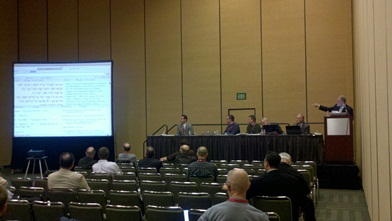
SBL: Bible Software Shootout 2 - Revenge of the Teacher

SBL Computer Assisted Research Section: 
Bible Software Shootout 2 - Revenge of the Teachers 

Keith Reeves introduced the session and highlighted that this session was not intended to be a shootout resulting in last man standing. Rather, the approach this year is to come at the topics 'backwards' by seeing how teachers are actually using the software in the classroom.

Logos

Two professors from Calvin College, Dean Deppe and Carl Bosma, presented on their use of Logos in their classrooms.
Calvin College has a 2 week gateway course that is a required part of the curriculum to introduce Logos to the students. An important aspect of the instruction is both learning how to use the program and to start the process of using it to take notes.
  • A 1 hour introduction
  • Four 2 hour sessions explaining features with MDiv students
  • Three 3 hours sessions with MA students.
Deppe showed examples of how he has used Logos. (Cf. Deppe's All Roads Lead to the Text: Eight Methods of Inquiry into the Bible for his work on using Logos for exegetical examples. I have now acquired the book and will provide a review here, hopefully before the new year.) He demonstrated how he thinks in terms of various lenses for viewing the texts using various Logos tools: Personal Book Builder to collect notes, Collections for searching, Passage Analysis, highlighting, layouts, visual filters including sympathetic highlighting, tools that can be used for students who don't know Greek or Hebrew, etc. He showed an interesting example of highlighting of verb tenses in Romans 7 along with quite a number of layouts he has created for working with grammatical, exegetical, background, related texts (e.g., DSS, Josephus, Pseudepigrapha).
Bosma showed how he used Logos for notetaking and linking to local and web resources.

Comments:
  • It was clear that both Deppe and Bosma have a great deal of experience working with Logos. It was good to see they are actually using it.
  • Deppe especially had a tremendously customized version of Logos enhanced by many of his own layouts, collections, etc. Unfortunately, it is not possible to share layouts with other users (at least at this time). When I try to model my use of Bible software, I would like my students to be able to follow along, so the ability to share a similar look would be important.
  • It's great that Calvin College has the required training sessions. I know enough about the use of Logos to see that the kind of things Deppe and Bosma had done reflect at least a high intermediate level of skill. 
  • Though it wasn't pointed out in the session, I like that Logos is available for Windows, Mac, iPhone/iPad, Android, and as a mobile web resource at Biblia.com.

Accordance

Roy B. Brown from Accordance demonstrated how he and his colleagues have used the program. (His presentation is available HERE.) He noted that the use of the software is dependent on the audience. He used Amos 1.1-6 as an example.
Preparation: How can Accordance be used for preparing, creating handouts, etc. He noted a variety of resources available and the easy way to export material for printing, incorporation in other programs, using its Slideshow mode, displaying collections of photos, maps, etc.
Presentation: The Slideshow mode was particularly helpful in Brown's own presentation to the group. It's a great way to present while staying within the program. (I have found that I regularly am jumping back and forth between PowerPoint and the Bible software as I teach.) He showed the sort of resources he would use for teaching Amos 1.1-6 to a popular level and then repeated the exercise as he might use it with a more advanced level group who know Greek and/or Hebrew. One of the things he demonstrated was the Inference search which looks for passages that might stand as allusive parallels.
Participation: How can Accordance be used most effectively in an interactive environment? Brown provided an example of how one might start with the Amos text and move from resource to resource by means of simply highlighting words and using the extensive integration of links to maps, lexicons, timelines, graphics, dictionaries, etc. One can even rather effectively conduct searches in Hebrew without know Hebrew.
Some of the things that struck me in this presentation were:
  • They have accumulated an excellent collection of related resources for biblical study: grammatical/syntactical,
  • The program was quite fast when running searches and switching between resources.
  • The integration of resources and the intuitiveness of accessing them is excellent.
  • The program is quite attractive overall.
  • They have made the program accessible to both an academic/technical and popular level audiences.
He also demonstrated a recently added feature: a "dynamic interlinear." While standard interlinears (based on the English) and reverse interlinears (based on the original language), their dynamic interlinear provides linking to up to eight tagged English versions and includes all the tagged information including syntactical tags. For the NT, he showed how this dynamic interlinear could be used to line up various NT manuscripts for comparison.

Comments:
  • Brown did indicate that it is possible to share Accordance workspaces which would make it much easier for students to follow along.
  • It was an impressive display of linked resources that Brown demonstrated, but I'm also wondering what the total cost of all those resources is. Yes, it probably is cheaper than buying hard copy edition,and one can, of course, gradually build up one's Accordance library of resources, but I doubt many students would be able to afford it all at the outset.
  • Accordance is available for Mac, iPhone, and iPad. (It can be run on Windows under emulation.) Buy the Mac version, and you get the iPhone and iPad versions with it running all your Mac resources.

OliveTree Bible Software - BibleReader

Steven Johnson and Matthew Jonas, both from OliveTree, presented. Johnson provided an overview of the program while Jonas spoke more about its classroom use. They presented how it works on an iPad as well as demonstrating a beta version of the program for MacOS. They are certainly multi-device aware and offer (or are working on offering) the program for a variety of platforms: Macs, iWhatever, Kindle, Nook, PC, Android, etc.
Two main concerns for BibleReader are approachability and having everything available, everywhere, all the time. How quickly can someone start using the program? They try to have as simple and as intuitive interface as possible. Further, while there are some differences particular to each platform, they also try to have the interface as similar as possible so that students will be able to follow along regardless of platform. Everything is automatically synched, so that annotations and such are preserved as a user moves between their various devices. The Resource Guide was an effective center for moving around to related resources: related verses, commentaries, topics, dictionaries, images, maps, notes, charts, etc.
Do note that the program really has its roots as a Bible reader, so it is easy to switch to a simple reading view though all the resources are still easy to call up. Jonas demonstrated the features that allow BibleReader to be personalized: notes, highlighting, bookmarks, book ribbons, etc. They use their own cloud sync service to keep everything current, but you can also use an Evernote sync service.
For students, it's easy to get started with BibleReader using their 'freemium' model. The basic program is free and available for the various platforms. They also are looking at integrating social media tools. (E.g., it's only available on Android for now, but it is possible to share verses via Google+, FB, Twitter.)
 
Comments:
  • It is indeed a clean and intuitive interface.
  • It was impressive during his presentation how Johnson switched between devices. The program was consistent but still took advantages of the platform's capabilities. (E.g., iPad multi-touch, use of gestures)
  • While OliveTree certainly has a full collection of Greek and Hebrew resources, it strikes me as intended to be accessible for a somewhat more popular audience level.

Overall comments, questions, and observations:

  • It was an interesting choice on Logos' part to have instructors who use Logos present rather than company representatives. They did a good job, but it was a different presentation compared to the others.
  • How easy is it (or to what extent is it desirable) for instructors to share resources with students? How desirable is it to do this? I find that I usually do want to share what I am asking them to learn about the use of the program. I think it is important, therefore, to have easy ways to share workspaces/layouts, search parameters, etc.
  • It is great to have a 'buy once' policy which allows you to transfer your resources to the variety of platforms you use. All three companies basically offer this.
  • I also see how we are moving to a situation with students using a variety of platforms, and most of them are more portable: tablets, iPads, and smartphones. Logos leads the way here, and only OliveTree will compare with it (once they make the desktop versions available). It is important to have one's resources available regardless of platform and to have them available everywhere. I also find, however, that when I am doing in-depth work, I really want a lot of screen space, so I still favor a desktop or laptop setup.
  • I do believe that cloud syncing and backup will become a standard. This involves not only the syncing of resources but of one's personalizations. Logos and OliveTree lead the way in this respect. 
  • BibleWorks was noticeably missing from this shootout. Since it is the program I am most familiar with, I can affirm that it can pretty much do everything the other programs can do and other tasks as well. And it does it all for cheaper considering the resources it includes. Still, there are some limitations to BW. It is a Windows program (that can be run under emulation on a Mac), but it cannot be used on a mobile, handheld device. Given the way the program works, the bigger the monitor the better, so I'm not sure it would be very useful on the small scale of a mobile device. Second, I have encouraged BW to make it easier to sync one's personalizations (e.g., annotations, searches...). It can be accomplished, but it requires the use of another cloud syncing service like DropBox or SugarSync. (I use SugarSync, and it works beautifully. I add my BWNotes, ase, and timeline subdirectories to the sync list, and it keeps everything up-to-date between my home and work computers. BTW, if you sign up for a SugarSync account after clicking on that link, we both get an extra .5Gb of storage in addition to the 5Gb free starter account, so please do so!)
 Bottom Line: Thanks to the CARS (no longer the CARGroup since we are now a CARSection) for organizing this section. While it did give the companies an opportunity to demonstrate capabilities of their programs, it also provided some excellent ideas about how the programs can and are actually used in classroom settings.