Showing posts with label iPhone. Show all posts

Saturday, April 11, 2015

A Quick Survey of Bible Apps for Android and iPhone


A Quick Survey of Bible Apps for Android and iPhone


For more detailed study, check into the offerings from Accordance, Laridian, Logos, or Olive Tree. If you already have purchased desktop versions of these programs, then you have access to most of your resources through the apps as well.
There are many free Bible apps from which to choose for both Android and iPhone. Things to keep in mind:

  • Note that some of these are actual apps. Some provide access to web versions optimized for mobile devices. If your mobile device has a web browser, you can, of course, always go to some of the better sites' web pages. Check out the Lumina Bible site or the Tyndale House STEP Bible online (also downloadable for Win and Mac).
  • Some of them work by 'streaming' Bible versions to you. That is, you must have access to a data stream, and you won't be able to use that version when you don't have data access. The benefit of this approach is that you can often have access to Bible versions for which you would otherwise need to pay. (E.g., for NRSV)
  • Most of them will allow you to download some Bibles to your device and use them offline or without a data stream. Many are free. Some you will need to purchase. Some common free and useful Bibles include:
    • English: ESV, NET (without full notes), KJV, Lexham (from Logos), LXX Brenton English (an older English translation of the LXX)
    • Hebrew: Westminster Leningrad codex
    • Greek: SBL Greek New Testament (from SBL and Logos), Westcott-Hort, Scrivener, some also offer the Greek LXX
  • Some apps offer a variety of related resources: dictionaries, maps, commentaries, Bible reading plans, etc. One thing to look for are Bible versions that are linked with Strong's. This provides the quick and free way to get some lexical and parsing help. Note that you can find versions in English, Hebrew, and Greek (both LXX and NT) linked to Strong's. Most of them have search capabilities. Some have audio versions.
  • Some of them offer all sorts of options for highlighting, social sharing, and note keeping, and often these can be synced with an online version.
With those things in mind, here are some suggestions.

ANDROID

  • If you have already purchased the program, check into Laridian, Logos, or Olive Tree.
  • Among the free ones I recommend:
    • MySword: This is one of the fastest loading programs, so when I'm in church and want to get to the lesson quickly, I use this one. Lots of free modules including: LXX and an analytical LXX, Brenton's LXX English, NET (no notes), Hebrew Westminster, Lexham, KJV, SBL GNT.
    • YouVersion: Many, many English versions, and many can be downloaded including NET (with notes), CEV, CEB, ESV, Good News, Holman, KJV, Lexham, Message, NIV, NIrV, NLT, etc. Westminster Hebrew, SBL Greek NT; hundreds of other non-English versions.
    • BibleGateway: If you are familiar with the BibleGateway web site, this is an app version of it.
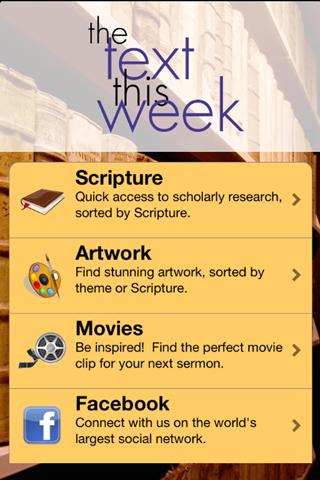
    • Textweek - The Text This Week: Many of you are doubtless familiar with the rich Textweek site. Here's an app that will give access to all its riches.
iPhone / iPad
  • If you have already purchased the program, check into Accordance, Laridian, Logos, or Olive Tree.
  • Among the free versions, I recommend:
    • YouVersion: Many, many English versions, and many can be downloaded including NET (with notes), CEV, CEB, ESV, Good News, Holman, KJV, Lexham, Message, NIV, NIrV, NLT, etc. Westminster Hebrew, SBL Greek NT; hundreds of other non-English versions.
    • BibleGateway: If you are familiar with the BibleGateway web site, this is an app version of it.
    • Lumina Bible Study: This is an app version of the Lumina Bible site.
    • Textweek - The Text This Week: Many of you are doubtless familiar with the rich Textweek site. Here's an app that will give access to all its riches.
    • ESV Bible App: ESV only but does include ESV Global Study Bible for free
These are my recommendations. There are doubtless many more apps out there, and I know less about the iPhone ones. If you have a favorite to recommend, please leave a comment. Thanks!

Thursday, August 22, 2013

The NET Bible iOS

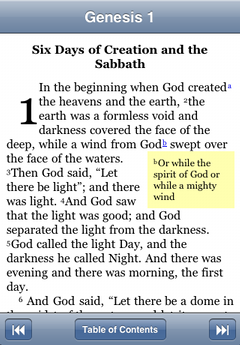
The NET Bible is now available for free for iOS devices. (Click on the graphic above to get it from iTunes.)
As the description notes:
The NET Bible is a completely new translation of the Bible with 60,932 translators’ notes! It was completed by more than 25 scholars – experts in the original biblical languages – who worked directly from the best currently available Hebrew, Aramaic, and Greek texts.

This App allows you to experience the translation and all of the notes for free in a visually friendly and intuitive way.

- Read the Bible like the book that it is, by swiping through its pages without worrying about chapter boundaries.
- Tap the current passage title to change passages.
- Learn and grow by reading the 60,932 translators’ notes and the associated Bible cross references in popups.
- Bookmark your favorite passages by tapping a verse number.
- Take notes that are tied to verses, or just a date.
- Sync your notes and bookmarks with net.bible.org and other iOS devices running this App.
- See an indication of your notes when reading the text.
- Search the bible using our fuzzy search that doesn't require you to know all of the words or even the translation it came from.
- Share verses via Twitter, Facebook, Email, and Messaging by tapping a verse number.
- Choose books by using a grid, canonical list, or alphabetical list of books.
- Two-finger swipe left/right to navigate your history during sermons and Bible studies.
- Change the font and size of the text.
I believe there are plans to get it on Android devices at some point. In the meantime, anyone whose device has an internet browser can get the full text and all those notes by going to net.bible.org. That site works well on my Android smartphone, but you cannot necessarily get the full NET Bible Environment experience, and it can be pretty flaky depending on the browser you use (Dolphin, Chrome, IE, etc.)

Thursday, December 6, 2012

"The Text This Week" (Textweek) now available for Android and iPhone/iPad

I'm assuming that just about every pastor knows about "The Text This Week" aka Textweek.com site. What started as something of a hobby for Jenee Woodard turned into one of the most popular sites related to the Bible on the web. I just discovered that Chris Ruddell of Church Mag turned the site into an Android and iPhone/iPad app. (Read more from Ruddell about it over on Church Mag
. He notes that the project is not yet complete, but for now it provides:
  • Lectionary resources – it wouldn't be much of an app without this!  Look up lectionary readings for the current and upcoming Sundays, or browse by lectionary cycle.
  • Scripture – Not following the lectionary per se?  Look up your current scripture reading by browsing the listing sorted by book of the Bible
  • Artwork – Find artwork and images tagged by topic and theme.  A great way to find bulletin covers or PowerPoint slide images.
  • Movies – Find inspiring clips for your sermon to bring a point to life.
It runs rather slowly on my now-aging Droid X, but it's great to have this available.

Friday, November 2, 2012

Getting ready for SBL / AAR meeting: Zotero

I'm getting ready for the Society of Biblical Literature / American Academy of Religion meeting in Chicago later this month. Besides getting the SBL / AAR app I described in the previous post, here's another suggestion that will help.

One of the fun aspects of such meetings is going around the exhibitor's hall and checking out all the new books. I won't be buying very many books, but there a lot of books I want to remember and check out later. Further, I'd love to have the books saved as some kind of online link so that I can easily obtain the bibliographic info and add notes to them. What's the best way to do this? Zotero is the obvious solution for the online database. I've written frequently about Zotero. It is wonderful. If you are not using it, why? Now the only question is how to get the books into Zotero.

I am now using Scanner for Zotero. You can get it for free, but I got it from the Android market and paid the $2 to help out the developer. Once installed, you link it to your Zotero account. Open the app, scan the barcode on the book, and it's saved. When you go online, the book with all the bibliographic info will be there. You can add notes, link to online reviews, attach other resources, etc. Note that Zotero is now available not only in Firefox but also Chrome, Safari, and as a standalone (for Win, Mac, and Linux.)

Further, with Zotero, when working with any word processing tool, you can quickly pull in the bibliographic data you need with drag/drop. If you use MS Word, OpenOffice, LibreOffice, or NeoOffice, use the plug-in to automate the whole process of entering footnotes and generating bibliographies with a variety of standard citation styles. You can even install the Society of Biblical Literature stylesheet.

Do note that there is another Android scanner for Zotero called Zandy. ($4) I have not tried this, but it appears to try to offer more ways of working with the Zotero entries. It may be a better choice than Scanner for Zotero, so if you've tried it, please share your experience in the comments. If you have an iPhone/Pad/Pod, there is a similar scanning app called BibUp available for free through iTunes.

Wednesday, October 31, 2012

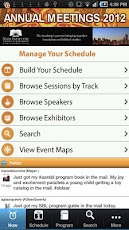
AAR / SBL 2012 Annual Meeting App

James McGrath has just noted on his Patheos blog that this year's AAR/SBL app is now available for iOS devices. I can't find the Android version, but I'm trusting it's coming. (If you find it, please leave a comment here pointing to it.) The meeting is in Chicago, Nov 17-20, 2012.

I had some critiques of last year's app, but I still found it more useful than not. 

UPDATE: 2012.11.01: The Android app was just made available. Click through to either the Android or iOS app HERE.


From the description, app features include:
  • Native app: No wifi connection required to access the conference program, schedule or animated maps.
  • Now: Stay informed about hot issues, event program changes, your upcoming sessions and organizer messages.
  • Program: Browse the entire event program to build your personal schedule, bookmark sessions or speakers, or access session handouts as available.
  • Take notes and email them as part of your trip report for reference.
  • Exhibitors, Maps, related conference info and much more. 
Quick test run: Just downloaded and fired up the app. BTW, free wireless internet access has been promised throughout the convention center so connecting should not be an issue.
  • There are a number of ways in the app to email or send to Twitter or Facebook (but not LinkedIn which was in last years) notes you've added, schedule, etc. There's even a live Twitter feed on the home screen of the app. (Twitter: #SBLAAR or #AARSBL)
  • Yes! You can add your own appointments to the schedule!
  • Yes! You can export your entire schedule so that it can be imported to Outlook, Google Calendar, iOS, Android via an ICS file.
  • Maps of all the venues are great and a link to Google maps of Chicago. The exhibitor menu is similar to last year's, but that is good.
The app is similar to the 2011 one, but is definitely improved. More ways to search / find what you are looking for and better ways for sharing / exporting stuff.

UPDATE: 2012.11.07: There is now an official user guide to the app here. (PDF)

Wednesday, February 3, 2010

Bible Software Reviews

I taught a JTerm course last month on "Technological Tools for Biblical Studies." (Go figure...) One of the requirements was to provide a brief review of a couple Bible software resources, either downloadable or online, including programs for mobile devices. Students were to pick from this list I compiled which you may want to check, which I describe thus:
This list of resources reflects free or low-cost Bible study options that might be recommended to persons who may not have original language training or who do not want to invest in the major Bible software programs like Accordance, BibleWorks, or Logos
I set up a course blog where we accumulated all the reviews. Here are direct links to the various reviews:
Thanks to my students for giving me permission to share all their work!

Tuesday, February 2, 2010

Looking ahead in 2010: Biblical Studies and Tech Tools

I started this post about a month ago and never got around to finishing it. A main focus of my prognostications was the potential of mobile devices like netbooks, ebook readers, and the (then still rumored) Apple tablet device. With the announcement of the iPad (I was thinking it would be called an iTablet), I can now appear to have been somewhat prophetic... Now updated, here's what I am thinking is on the horizon in technology as it relates to biblical studies.

I am convinced that we are moving to an available-everywhere Internet and that we are going to be using mobile devices to access it. Smartphones have become the device of choice for many, and their advantage is that they are small and can handle the primary tasks of texting, web surfing, email, and, oh, yeah, making phone calls. Many can also serve as MP3 players, game- and video-playing devices, GPS, etc., and, with the abundance of apps now available, as your biblical studies resource too. Their disadvantage is that they are small. It's not just that web-surfing is limited on such devices because of screen size, but they are physically too small. I hate misdialing numbers or text because the keys are so small. With my oldER person's eyes, I have to beef up the font size, and that just means so much less viewable text on the screen. Compared to my current phone's 1 inch square display, most newer phones do have quite nice displays and larger viewing areas. (E.g., Apple iPhone or Google Nexus One or Droid. For now, I have what I need with my old phone and my old but still trustworthy Dell Axim x51v.) So they are great as portable devices, but not for getting serious work accomplished. Will something like the forthcoming Dell Mini5 be better? (Maybe, but I'm not sure I want to put that thing up to my ear when I use it as a phone.) So, is it necessary to choose between the convenience of portability and the need for greater functionality that a laptop offers? And where do ebook readers and netbooks fit in? I believe there is a place something like the now-announced Apple iPad, but the iPad isn't it. Personally, I'd be more inclined to get a good netbook which can do more than the iPad and cost less. If we are heading toward ebook readers, then I think they are going to need to be able to do more in terms of being good tools for students to highlight and take notes (like this) or for being interactive devices with live updates (like this or this or this). Of course there is all sorts of new technology coming down the line...
So what do I want? I want a phone that can provide access to all my biblical stuff in a pinch (like I can now do with my Dell Axim). It would also be nice to have all those other nice goodies like web access, email, MP3, GPS, ... I can probably do that (for a price! and for data fees!) if I ever upgrade my phone and when my Axim dies. I'm the sort that will be looking for a phone using either Android or Windows Mobile 7. I applaud companies like Olive Tree and Laridian for the work they do on developing Bible resources for the various mobile platforms. Logos is also to be commended for their iPhone app. (And how about something for Android next?) To do more substantial work, however, I think I will still use a real computer with at least the minimum functionality offered by a netbook.
With all that said, I still suspect that Apple's iPad (in its 2nd generation) will generate the cool buzz to make more people look at this form factor. Since it seems to be not much of a deal to move apps from the iPhone/iTouch to the iPad, it will have a lot of momentum going forward.

I'm doing more and more of my personal and seminary work in the cloud. I'm using Live Mesh to keep my home and sem computers synced, in particular, the notes I'm writing in BibleWorks8. I'm using drop.io to back up files, make them accessible from any computer, and share them with students. I'm integrating blogs, nings, Google Docs, wikis, and diigo into my courses as ways of sharing and developing resources. I'm also really liking using Google Wave for doing collaborative work that uses threaded discussions. I use Xmarks to keep my browser bookmarks synced across various machines and have access from any machine. (Weave Sync is another option for Firefox.) I use Zotero to do my bibliographic work, and it also automatically keeps things synced across my computers and is accessible from any machine.
What are the themes here?
  • Collaboration: I'm using social networking tools and sites that allow for multiple authors to do collaborative work. 
  • Resource Availability: I'm still not comfortable having my stuff exist solely on the web. (Google Wave is this way for now, but it is still in beta, and it appears that one will be able to download waves in the future.) What I do really like is the kind of syncing to multiple computers AND online access from any computer allowed by tools like Live Mesh, Xmarks, GoogleDocs, and Zotero. 
In relation to biblical studies, Laridian has one good idea with its way of automatically syncing the desktop version of the program and its notes with the USB drive version you can use in any machine. I also like that the Logos iPhone app (which I've only used it on my daughter's iTouch) allows you to access most of the library you have on your computer.

[BTW, for a list of utility software (most of which is free), I recommend THESE to my students.]

For doing serious original language work, I don't think Accordance, BibleWorks, or Logos can be surpassed. I am impressed, however, with some of the free Bible software that is available (e.g., LaParola or e-Sword) and with some of the online Bible resources sites (e.g., NET Bible, Great Treasures, Biblos, or Bible Web App). Most of these are labors of love and service which generate little or no income. On behalf of all of us who use them, you have our thanks! There are, at least, the kind of resources I can recommend to interested lay persons who don't necessarily want to invest in or are able to make full use of the big commercial programs. (BTW, for a somewhat complete listing of such resources, check HERE.)
As far as the future goes of Accordance, BibleWorks, and Logos, I have no inside information. Looking back and watching how they have progressed, however, it appears that they all have been rather faithful to their roots even as they add features and tools. I hope they all continue to thrive, because not only do they do somewhat different things, but I think the competition is good as a way of encouraging innovations and improvements. One such area is the creation of biblical texts that are syntactically analyzed. Another area where all of them are working is integration with online resources.

Okay, so I haven't really gone out on a limb to make any wild predictions here. I've done better at describing the current state of things and identified some trends. If you want some provocative future predictions, check this timeline. Be sure to check the prediction for 2020. Imagine having, say, an entire biblical library implanted in your brain, always available just for the thinking of it. Are you thinking of it? Are you thinking it is something we really want in our future?

Wednesday, January 6, 2010

2009 Review of Biblical Studies and Tech Tools


Tech stuff is moving so quickly, but it is helpful to review and get a bit of perspective on what's happened over the past year in the area of biblical studies.
I'm sure I missed something important that happened in 2009, so leave a comment!


On a more personal level, I'm still trying to figure out the future of seminary education (here and here) and, in particular, its relation to technological resources. 
I am also finding that it is very hard work trying to keep up with all the developments as well as simply keeping up with blogging. A move in August kept me from blogging that month, and a publishing commitment kept me from doing anything in December. Even compiling this year end review means I'm procrastinating on another project I need to do... No new year's resolutions in this area, but I am still committed to keeping this thing going. I'll probably have to narrow my focus a bit, but I believe that this kind of blog does provide a worthwhile contribution to the field of biblical studies.
Now, when I get some time, I hope to give some predictions about 2010!

Monday, November 2, 2009

Logos 4 Released

Logos today announced a major release of its Bible software program, Logos 4. (Check out the video on that link and more info here.) I was able to beta test the product, and I will provide more info when I get more time. Just a few things to note for now:

  • It does have a different look and feel. The default start page will make you think of a magazine more than of Bible software. Long time Logos users will need to make some adjustments. In general, and especially for newer users, the user interface is clean, intuitive, and logical. The panel and tab layout does work nicely.
  • The program indexes your library, and so searches are faster. In the beta, indexing took a long time to accomplish...
  • There are quite a few new resources. I'm especially interested in the improved resources in the Biblical Places category, and I will provide a fuller report on those later.
  • Your library is also available via WiFi using an iPhone app. (The app is a free download and also works on the iPod Touch.)
  • Logos3 Gold was superseded by a Platinum version, and now you can also get a Portfolio library ("1550 resources worth more than $31,000.00 in print!"). Price before discounts for Portfolio is $4290. For my seminary students (who can get a 30% discount), I'm still recommending the Original Language Library ($416 list) or Gold Library ($1380 list). Be sure to check the comparison chart. To upgrade from Logos3 Gold to Logos4 Gold is $190 before discounts. (I'm guessing that Logos3 OL to Logos4 OL will be about $100.)
  • A number of resources that one previously had to buy separately are now included in some of the libraries. A special effort has been made to include English-Hebrew and English-Greek reverse interlinears. There are also quite a few interesting new "Maps, Photos, and Media" resources included with nearly every library.
Click on the graphic above to get a sense of the layout and look of Logos 4. This a start, but be sure to check the Logos4 page for more info.

Friday, September 18, 2009

Laridian PocketBible for iPhone reviewed on ZDNet and some free titles

Nice to see a biblically-oriented app being reviewed on a secular site like ZDNet. Basically a positive review with 25 images!
And while I'm mentioning Laridian, note that they have 11 "classic titles" that they are now offering for free for a variety of the platforms they support. (Palm, WinMo, WinPC, iPhone)

Saturday, April 4, 2009

Free Bibles for Kindle, iPhone, or iPod Touch

Bibles are big on the Amazon Kindle bestseller list. On 4 April 2009, Zondervan's TNIV is at #8, God's Word translation at 17, and the ESV at 19. What's more, these are all available for FREE.
[HT: He Is Sufficient]
You can also get a number of other Bibles for free or inexpensively, and you also apparently can get all 9 volumes of the Dor Gallery of Bible Illustrations for free. I don't have a Kindle, iPhone, or iPod Touch, so I'm wondering how the illustrations show up. If you know, let the rest of us know!
Note that to read Kindle books on the iPhone or iPod Touch, you need the free Kindle for iPhone app.

Friday, February 6, 2009

Google Books for iPhone and Android phone

Yesterday (2009.02.05), Google announced:

Today we are excited to announce the launch of a mobile version of Google Book Search, opening up over 1.5 million mobile public domain books in the US (and over half a million outside the US) for you to browse while buying your postage.

While these books were already available on Google Book Search, these new mobile editions are optimized to be read on a small screen. To try it out and start reading, open up your web browser in your iphone or Android phone and go to http://books.google.com/m.
Interesting... As noted on Yahoo Tech news, this poses something of a challenge to Amazon's Kindle reader. (Also note the other free ebook apps for iPhone mentioned there: Stanza, eReader or BookShelfLT.)
I did check out the mobile Google book site, and there is a whole section on Religion with the usual suspects of public domain books. There are a number of Greek texts such as Winer's 1874 Grammar or Souter's 1913
Text and Canon of the NT or Goodwin's 1860 Syntax. To keep things efficient for a mobile device, everything has been rendered with OCR, but in the instances with Greek, note that you can click on the paragraph to have the original appear as a graphic. (Cf. the graphic below with the image of the Greek and the confused Greek OCR below it.)

In any case, it's all free and may prove helpful to you.

Tuesday, December 9, 2008

Greek Search on Olive Tree iPhone Bible Reader

This Lamp reports that it is now possible to conduct searches in Greek on the beta of the Olive Tree iPhone Bible Reader. Check out the screen capture. Hebrew searching is still to come...

Friday, November 21, 2008

Catching up before SBL

Just a bunch of stuff that's been piling up to unload before I head off to SBL in Boston:

  • Rubén Gómez is once again very active on his Bible Software Review blog. He does an outstanding job of covering a lot of the things I'm also interested in on this blog. If you read this blog regularly, you should also add his blog to your reading list. I won't be repeating his work unless I have something additional to add.
  • Rick Mansfield on This Lamp has a nice review of Hebrew and Greek on the iPhone using an OliveTree app.
  • If you use Mounce's Basics of Biblical Greek "Eutychus" has provided a helpful student aid:
It is a word document that contains verbs (tense stems and roots) that occur fifty or more times sorted by chapter in BBG. It seemed easier for me to study and review in this configuration as opposed to the verbs in alphabetical order. I am sure it is not perfect and I will update as I find errors.
>> To download the DOC file, go to this post on the BibleWorks forum. (Link fixed)
BTW, as I get time, I hope to provide some blog updates from SBL.

Tuesday, November 18, 2008

Bible software for iPhone / iPod Touch

I'm still using an ancient cell phone that only does phone calls (imagine that), and I carry around all the rest of my life on my aging Dell Axim (which I still really like), but my daughter has an iPod Touch. Okay, it is kind of cool, and I've tried some Bible apps to see how it works.

I can confirm that the OliveTree BibleReader for iPhone works very nicely. You can get the BibleReader for free along with 9 translations (NET, MKVJ, ASV, Darby, YLT, Weymouth, Reina Valera, French Darby, German Luther), and other packages/translations are available for purchase.

Paul Avery of Peej Studio has now released a free iPhone / iPod Touch Holy Bible app that includes KJV, ASV, BBE, and WEB English translations along with 3 Spanish versions, but it also includes the Greek NT (Nestle-Aland, but it is unaccented) and the Greek Septuagint. There you go! The site claims that he is working on accented Greek and a copyright-clear Hebrew OT. (HT: PhiloBlogger)

(Update via comment by John) You can also check out BibleXpress. For $30 you get the ASV, NRSV (w/Apocrypha), ESV, NASB, LBLA (Spanish), KJV, and The Message. That's a great price for those copyrighted versions.

In contrast to these three apps which you need to download and which reside on your device, Laridian is using an internet-accessible, subscription model for iPocketBible.com. (Subscriptions are $2/month or $20/year.) This might be a good deal especially if you already own Laridian products which will be available to you as part of your subscription.

And how long until someone figures out something really helpful for biblical work using the new Google Mobile App for iPhone with Voice Search.

Thursday, October 2, 2008

NRSV iPhone App now available

Christian Classics Ethereal Library (CCEL) announces that the NRSV is now available as an iPhone app. Cost is $11.99. It comes with 3 devotional books and either with/out the Apocrypha. Read the full announcement, but here are the highlights:

With the NRSV Bible, all of the standard NRSV features are supported including the notes. The app remembers your previous location so you can immediately pick up where you left off. Navigation is easy through the hierarchical table of contents. Scripture references are linked, so you can view the passage in a slide-up window. All books are included in the original install, so you don’t need an Internet connection to use the application.

Coming soon: the ability to download and install books from the Christian Classics Ethereal Library, search capabilities, and more. Get it now at a special introductory price, with no charge for upgrades to later editions.

Wednesday, October 1, 2008

Zotero - Major Feature Updates

More reasons to like Zotero even more as your bibliography management tool as reported on Dan Cohen's blog... As he notes, you can now check out your Zotero library on any web browser including those on iPhone or iPod Touch.
In addition, the Zotero 1.5 SyncPreview 2 now offers a way to sync your library across the web, retrieve metadata from PDFs and more.

Thursday, September 25, 2008

Catching up...

Trying to catch up on a bunch of stuff that's accumulated in my reader...

The Bible Style Guide is a reference text designed specifically for those working within the media industry. It provides a crash course in the Bible for busy journalists, broadcasters and bloggers.
Packed with useful facts and figures, it includes handy overviews of issues that often hit the headlines, as well as terms that are often misunderstood. Whether you’re covering Creationism or Zionism, or want to know your apostle from your epistle, The Bible Style Guide is here to help you get started.
  • Mobile Computing, OliveTree BibleReader4: Some interesting observations noted and linked on this post. There are challenges for those companies trying to create Bible software for a variety of all the mobile platforms out there. OliveTree has released a beta of BibleReader4 for the Blackberry, and they have been working on iPhone apps too. OliveTree has also set up a Twittering service to keep updated. Our IT department at my seminary has also gone to Twittering to keep everyone updated on systems issues, but I'm still not a Twittering or Plurking fan... The latest CCMag issue has an article reflecting on the importance of iPhone and Google Android phones in the coming years.
And finally, just for fun, check out igod, an artificial intelligence site. (HT: lingamish) Here's what I found out:

Monday, August 4, 2008

Firefox, Kindle, Zotero, iPhone, Accordance, etc.

Technically on vacation, but a few quick things to check:

Firefox 3:
Here is a good list of useful Firefox 3 add-ons.
Do note, however, that one of my favorite add-ons, Tab Mix Plus, is not yet Firefox 3 ready. You can install the beta which is working perfectly well for me HERE.

Kindle, Zotero, iPhone
Scott F. Johnson has an interesting post (with links to prior discussion) regarding the use of Kindle as a scholarly tool (or not). Basically he would like to see Zotero on Kindle or an iPhone, but he is not overly optimistic about the possibilities.

Logos' RefTagger Updated
Logos notes that there RefTagger has been updated to allow for some style choices. Here is Mark 6:34.

Video, Graphics, Online Publishing
Readers of this blog will have noted that I am also interested in the ways that biblical studies can be presented using graphics, photo, video, etc. If you are interested in such stuff, add Robin Good's MasterNewMedia to your reader. Sometimes it gets more into advertising and marketing stuff, but there are regularly nice reviews of other multimedia type of resources you can use.

Accordance
I've been meaning to respond to some of the recent posts on the Accordance blog. In particular, I've wanted to follow up on a couple posts dealing with the word meaning "desire" in Genesis 3:16. (Part 1 and Part 2) It's a good case study of how to use Bible software even when you are not fluent in the original languages.

Wednesday, July 23, 2008

BibleWorks, Logos, Accordance on your mobile device

The question was recently asked again on one of the Bible software forums whether the Bible software application could be run on a mobile device like a smartphone or such. Short answer: No, you can't really run one of these programs on your WindowsMobile or smartphone as far as I know.
BUT... if you really need it and are willing to put up with a little inconvenience and have good eyes... You can see from the screenshot below that I do indeed have BibleWorks7 on my WindowsMobile device. (In my case, it is a Dell Axim x51v with true VGA display.)

Here is what you need to do:

  1. Go to www.LogMeIn.com or go here directly for the free version.
  2. Download/install the program on your home PC or Mac. Set up account, access codes... (It is indeed free and secure.)
  3. Now, on your WindowsMobile device or smartphone, you need to get on the web, go to the LogMeIn site, and logon.
  4. You will get a display showing which computers are online and on which you have set up the LogMeIn software and provided access. Click on your home computer, supply the access code, and you will now see your home computer screen on your mobile device. You will have complete control over your home computer, but due to screen resolution/sizes, you will probably have to move around the screen quite a bit.
Okay, note a couple things:
  • You don't really have the software on your mobile device. You are simply running your home computer's installation. Hence >>>
  • You do have to leave your home computer running and LogMeIn enabled...
  • It really is quite fast. The only real issue is viewing and moving around the screen, not the speed. (If you want to make it easier, reduce the resolution on your home computer display.)
  • I use this program regularly, but my main use is to control computers for other members of my family. I'm the computer guy in the extended family, and when they have problems... well, it's just a lot easier taking over their computer and fixing things than trying to provide instructions over the phone.
  • I have had absolutely no problems with security or with spam using this program.
Give it a try...