Showing posts with label laparola. Show all posts

Monday, September 10, 2012

Bible Software Decisions: Accordance, BibleWorks, Logos, et al

It's time again for our incoming students to get their Bible software. At our seminary, students are required basically to have a year of Greek grammar and another year of Greek reading connected with our Gospels and Paul classes. This is still not enough time to expect students to be able simply to pick up a Greek NT and start reading. I am quite aware of the various arguments about how Greek should be taught and the pros/cons of Bible software, but we have decided to make Bible software an integral part of our Greek instruction. As for Hebrew, it is not a requirement, but many of our students do end up taking at least a semester of Hebrew and can follow it up with additional reading courses. For this brief introduction to Hebrew, the software is a critical part of the instruction.

We have "required" students to use Bible software, and we do think it is an excellent investment not only for seminary but for their lifelong ministry, but we are also aware that it can be a significant investment. We encourage students to bring their systems to class so that they can use the software as we go along, but for those who don't have a portable system or who have not purchased the software, we have installed Bible software on quite a few seminary systems to which they have access.

Now, what Bible software should they get? There are some free options which work quite well. I recommend e-Sword, LaParola, or The Word. These are fine programs, but they aren't as fully capable as one of the big three: Accordance, BibleWorks, or Logos. So, which of these should a student get? Ideally, we would all have the same operating system (and same version of said OS) and the same Bible software package (and same version of said software). Up to just a couple years ago, this was impossible because of the Win/Mac divide, but it really wasn't too big of a deal because we had so few Mac users. Today, I'm seeing many more Mac users, so the issue has become more complicated. With some limitations, it has been possible all along to run Accordance on a PC using the Basilisk emulator and to run BibleWorks or Logos on a Mac using one of the Windows emulators. Logos, commendably, was the first to develop both Win and Mac versions. Accordance has recently announced work on a Win version. BibleWorks is cooperating with CrossOver to provide an easy way for it to work on a Mac.

Unfortunately, matters are becoming more complicated since now students are also coming to class with their smartphones, iPads, or Android tablets, and Windows8 tablets are now on the near horizon as well. Logos, commendably again, has been particularly active in providing multi-platform options and is available for iPhone, iPad, Android, Kindle, Win, Mac, and also accessible as a web-based resource at Biblia.com. Accordance has an app for iPhone and iPad. BibleWorks has already been demonstrated working on a Win8 tablet. UPDATE: And now BibleWorks has made it possible to run it natively (i.e., you don't need Windows) on a Mac.

So, where does this leave our students as we ask them to buy Bible software? As attractive as it would be, we have been reluctant to choose one of them and make it a requirement. Each of these programs has their particular strengths and drawbacks. In practice, what has happened is that we have a few people using Accordance, a few using Logos, but the majority are using BibleWorks. Why? First, part of it is history. About 10 years ago at our seminary, everyone was using Windows and the software the Bible faculty was using was the old Bible Windows. It was a functional program (I couldn't have done my dissertation without it), but for a number of reasons, it was surpassed by other programs. (Actually, Bible Windows is still available, now as Bibloi 8.0, and is a very capable $95 program.) We considered both Logos and BibleWorks, and at that time, BibleWorks was clearly a better program for working directly with the biblical texts and was significantly cheaper as well. The Bible faculty (somewhat reluctantly) made the switch to BibleWorks, and it was also installed on the classroom and campus systems. Today, then, there is simply inertia to stay with a system that we know how to use, has been paid for, and is widely available on campus. Second, it is appealing for students to have BibleWorks when they can see it being used by the instructor in class and follow along on their own systems. I know Logos well enough to show students how to use it. The Accordance users band together and help each other out (and claim that it is intuitive enough not to need any help!). Third, in terms of what we are asking students to be able to do, BibleWorks is the cheapest and really the best 'value.' With student discounts, the full BibleWorks program costs about the same as the Original Languages Collection in Accordance or the Original Languages Library in Logos. Compare what is included in each. For obtaining access to the Hebrew and Greek texts (and associated text critical resources) and a range of English Bible versions along with lexical resources, apocryphal and pseudepigraphal texts, Philo, Joesphus, and early Church texts, BibleWorks is hard to beat. (BTW, I commend Accordance for the new "collections" they offer in Accordance10 rather than the bundles of the previous version which I found to be very confusing.)

Again, I am aware of other factors that go into 'value' (usability, interface, multi-platform support, library management features, inclusion of non-biblical resources, etc.), so that is why we haven't settled on one as the required package. Given the other factors I mention, it does explain why we are mostly running BibleWorks. I'd be interesting in hearing what other institutions have chosen to do.

Wednesday, February 3, 2010

Bible Software Reviews

I taught a JTerm course last month on "Technological Tools for Biblical Studies." (Go figure...) One of the requirements was to provide a brief review of a couple Bible software resources, either downloadable or online, including programs for mobile devices. Students were to pick from this list I compiled which you may want to check, which I describe thus:
This list of resources reflects free or low-cost Bible study options that might be recommended to persons who may not have original language training or who do not want to invest in the major Bible software programs like Accordance, BibleWorks, or Logos
I set up a course blog where we accumulated all the reviews. Here are direct links to the various reviews:
Thanks to my students for giving me permission to share all their work!

Saturday, May 23, 2009

Accordance8, BibleWorks7, Logos3, VulSearch4, LaParola: Latin Bible Texts Available

I've previously posted about Latin versions of the Bible available in various Bible software packages. Now that BibleWorks8 is out and in light of some recent user-created additions (way to go, Pasquale!) as well as other developments with Logos, I've updated the charts.

Here is the table available either as an XLS spreadsheet or a PDF file.

Wednesday, February 11, 2009

The Doré Gallery of Bible Illustrations: Online and in Bible Software

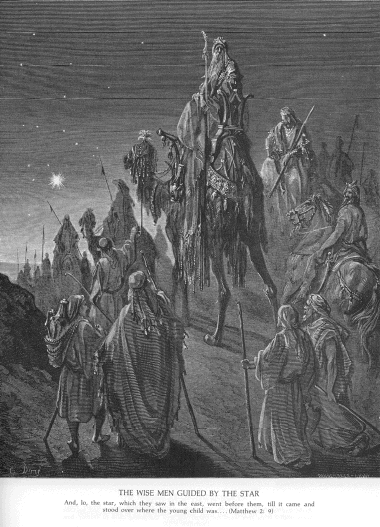
Gustave Doré was the popular 19th century French illustrator known for his 'dramatic' depictions. In 1866, he published an illustrated 2 volume work with over 200 Bible illustrations, but his also illustrated numerous other works (Dante's Divine Comedy, Milton's Paradise Lost) and had hosts of other indiviual pieces. His fame continues today, since his works are in the public domain, have been widely scanned, and are easily available for free on the Internet. You will probably recognize his images for their distinctive woodcut style.
I have collated some of the best ways to access his Bible-related works, noting both ways to obtain images online, to download, or to integrate with Bible software.
(Links provided to download modules for Accordance, BibleWorks, E-Sword, LaParola, and Logos. You may already have the artwork in Accordance, but these are free downloads for the other programs. The PBB file for Logos is brand new thanks to Don Ring. [UPDATE: LaParola added to list via comment by Richard Wilson.])

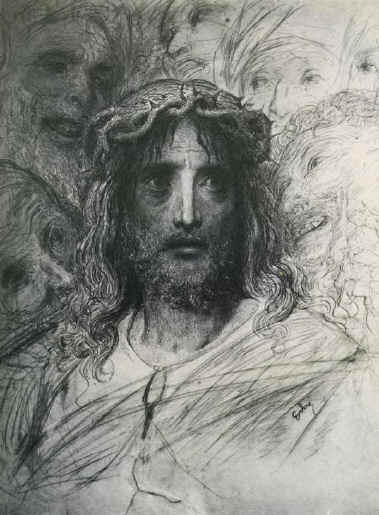
While Doré was not regarded as an 'elite' artist in his own day and most of his images certainly have a 19th century look to them, he does have some interesting depictions worth considering. Here's an illustration of Jesus (not included in the Bible volumes) that is rather well done, imo.

Tuesday, February 3, 2009

Creating Concordances using Accordance, BibleWorks, Logos, LaParola

Bible software has pretty much eliminated the need for concordances. Back in the day, I spent a lot of time in Moulton & Geden's Concordance to the Greek Testament, Hatch & Redpath's Concordance to the Septuagint, Evan-Shosham's New Concordance of the Bible, or the BHS concordances by Lisowski or Mandelkern. On the BibleWorks forum, however, someone was asking how to create a concordance that could be printed out for just a single book of the Bible. The goal, besides having a printed copy they could use when away from their computer, was to help in reading by paying attention to when a word was previously used so that they had some help in building up their vocabulary. I can also see that having a book-delimited concordance would also be helpful for getting a sense of an author's vocabulary and identifying themes and key terms in that book. So, how does one create such a concordance using the usual suspects in the Bible software field? For my test here, I tried to create a concordance for the book of Jude.

BibleWorks
It can't be done easily. There are quite a few tools one can use to look at the information in a variety of ways, but there is no simple way to create a concordance. John Fidel showed probably the best way on an earlier BW thread. You could also use such tools as the Word List Manager to get a list of all the words with their frequency but no way to note which verses. The Keyword in Context (KWIC) tool provides another way of viewing the text, but that also would be a one at a time copy/paste task. You could also use the Report Generator and choose something like the Gingrich lexicon which provides many references, but it still won't really give concordance-like info in a compact form.

Logos
In Logos you can do a search using the * wildcard on your preferred text. (You can use either the Bible Search or a Greek Morphological Search, but for some reason, my results were displayed differently in each.) When the search results are returned (and it did take a minute even just with Jude), you will be tempted to hit the Concordance option in the top right, but that won't give the results you probably want, since it returns hits according to form rather than according to root. Instead, hit the "Search Analysis by Lemma" option which will return the results shown above. Note that it does group the words by lemma but still breaks them down according to form. I couldn't figure out how to add a gloss to the entries. It is a nice concordance format with the word bolded in context, but it may not be what you want for printing. Jude alone would require 35 pages. I couldn't figure out a way just to get verse references without the full verse.

Accordance
Accordance is the clear winner in accomplishing the task of generating a concordance. It is simply a matter of doing a wildcard search on the version of choice with limits set and then hit the Details button, then the Concordance button. That's it, and it is very fast. The screen shot above shows the kind of concordance entry one usually is looking for, and note that it also provides a gloss along with the frequency and verse references. Also note that the Concordance output can be adjusted as you can see above. You can set it to display the results for just the one book or for the words in that book within the full NT. If you want to see the text, simply set the display threshold to a number greater than 1. You can also show parts of speech if you want. Below shows another concordance view.


LaParola LaParola wins for cost and ease of creation. The program is a free download and uses the CCAT MorphGNT, BHS, LXX, and a number of public domain English and Italian versions as well as many other resources. In LaParola, creating a concordance is simply a matter of hitting F7, choose the passage, text, how you want the words ordered, and whether its based on words or roots, hit OK, and you immediately get the concordance as shown above. No glosses, but it a very compact form for printing.

Other
I couldn't find an easy way to create a concordance in E-Sword, Online Bible, QuickVerse2009, or BibleExplorer4. If you know of other ways to generate a concordance, please share it here.

Tuesday, August 26, 2008

Accordance8, BibleWorks7, Logos3, VulSearch4, LaParola: Latin Bible Texts Available

The history of the Latin text of the Bible--and especially of the Latin Psalter--is rather complicated. (Check out the charts I supply here.) I've compiled a table that shows which Latin texts (basically the Clementine, Biblica Sacra Vulgata, and Novo Vulgata) are included in the three big Bible software programs of Accordance8, BibleWorks7, and Logos3 with their shortcut abbreviations and availability. Links are provided to online resources, and I have also included the specifically Vulgate translations of Wycliffe and the Douay-Rheims.
Here is the table available either as an XLS spreadsheet or a PDF file.
UPDATE 2008.08.26: As Pasquale notes in the comments, Vulgata Clementina is available for BW7. I found a PBB of the Douay-Rheims for Logos. I added a column for VulSearch. Files have been updated.
UPDATE: 2008.09.05: Added the fine LaParola program (free) which includes Stuttgart Vulgate fully tagged and linked to Latin Words. Files updated.

Thursday, March 6, 2008

Still more ways to construct vocabulary / word frequency lists: Accordance, LaParola, Zhubert

In the two previous posts, I showed the ways to create Greek vocabulary / word frequency lists in Logos3 and BibleWorks7. I'll finish up this 'series' by demonstrating how to create such a list in some other programs, including a couple of free online resources. For this exercise, the task was to create a frequency list of all the words in 3 John. (BTW, thanks to Richard Wilson for pointing out the resources in LaParola, both the online and the desktop versions. He really has done a great job at his site in providing these and other resources.)

Accordance: It's easy in Accordance to conduct a search and specify a range. Once the results appear, click on Details, and then click on the Concordance. Results are provided in alphabetical order with frequency, and with hits shown in context.

La Parola (desktop): La Parola is a very fine, free program, and I will provide a longer review of it some time. (Program can be downloaded HERE.) The program has a built in "Create Concordance" tool as you can see in the screen chapter. Supply the range and text to use, select how you want results to appear, and choose words or roots. The results appear appear quickly with frequency and hit results.

LaParola (online): Start HERE for the La Parola online version. As you can see on the graphic, there are quite a few tasks you can accomplish in the online version. We want to use the "Find Words" section. You can see the variety of choices you can make: root or word (with many morphological presets), range, frequency, text. Results are fairly quickly in two columns with words and frequencies. The words are all linked to lexical resources.

Zhubert.com: Zhubert is another free, online resource, this one by Zack Hubert. From the home page, click on the "vocab lists" which will serve up the page in the graphic above. Select a book or a range (it works for the Greek NT and the Greek LXX), and the results are returned as a Word Distribution Listing. Click on the distribution frequency you want, and results are returned very quickly in 3 columns: word, frequency, definition. Clicking on the word will bring you to a ton of lexical and frequency resources.

That's all I have for now for ways to create Greek frequency lists. Let me know what I am missing. Thanks.