Saturday, March 24, 2018

Finding Hebrew words translated by a Greek word in the LXX: Accordance, BibleWorks, Logos

A question arose on the Accordance forum about finding the underlying Hebrew word/s which were rendered with a given Greek word. It got me to thinking about how I would accomplish this task in the major Bible software programs: Accordance, BibleWorks, and Logos. For this exercise, I am just going to see what Hebrew words are being rendered with a form of the verb ἱλάσκομαι in the LXX. It's a word that has a range of meaning including "be merciful, propitiate, expiate, make atonement." Cognate forms are important in the NT, since they are used to describe Jesus. (E.g., ἱλαστήριον in Rom 3.25 and ἱλασμός in 1 John 2.2.) In most cases, the software is making use of some edition of Emmanuel Tov's (and Frank Polack's) Parallel Aligned Hebrew-Aramaic and Greek Texts of Jewish Scripture. (The only exception might be Logos' Lexham Greek-English Interlinear Septuagint.)

ACCORDANCE


I'm still learning Accordance, so others may correct me or suggest a better way, but this is what I think you need to do. 1) Open the LXX; 2) Search for ἱλάσκομαι; 3) Open a new tab with the MT-LXX Parallel; 4) Use the MERGE command to link this tab with the LXX tab. As the graphic above shows, the Greek word is highlighted, but a person would need to go through all the hits and pick out the Hebrew. 
UPDATE: I had initially lamented there was no way to see the Hebrew roots in Accordacnce. Thanks to Joel Brown from Accordance, I need to update this entry, because there is an easy way to see the Hebrew roots underlying the Greek.
The trick is to use the Analysis Pie Chart and choose MTLXX Lex or to use the standard Analysis and customize the display by dragging in the MTLXX Lex category. The results are visible above. Since Accordance can also do Greek root searches, you can get a broader picture of usage quickly. It's also quite easy to copy/paste the results (here displaying part of the root search results):

ἱλάσκομαι (ἵλεως) to be merciful, pardon, be propitious = 12
            אתה סלח = 1
            כפר = 3
            לְ סלח = 1
            נחם = 1
            סלח = 4
            (No direct translation) = 2
ἱλασμός (ἵλεως) propitiation, means of forgiveness = 6
            כִּפֻּרִים = 2
            סְלִיחָה = 1
            (No direct translation) = 3
ἱλαστήριον (ἵλεως) propitiation, place of forgiveness = 28
            הַ כַּפֹּרֶת = 2
            כַּפֹּרֶת = 17
            כַּפְתּוֹר־1 = 1
            עֲזָרָה = 5
            (No direct translation) = 3


This is the ideal way for getting the results desired in the initiating question.
(As an aside, both Accordance and BibleWorks found ἐξιλάσκομαι in Deut 21.8 as a hit for ἱλάσκομαι. That appears to be an incorrect morph tagging that Logos corrects.)
Accordance can perform some other nifty tricks by combining MERGEs in order to see where a specific Hebrew word is translated by a specific Greek word. Cf. David Lang's guide HERE.

BIBLEWORKS


BibleWorks has a Parallel Hebrew and LXX module that makes good use of the Tov alignment. After opening the module (using the icon in the button bar or Resources > Parallel Hebrew and LXX), a window opens and one can the select Search > Search for Hebrew-LXX Equivalents (or click on the א=α binocular icon). This opens the smaller window shown in the graphic above, and one can type in either a Hebrew lemma and find all the ways it's translated into Greek or a Greek lemma and find all the Hebrew words it's translating. The results need a bit of checking due to the way Tov had to correlate the Hebrew and Greek. (Mainly it's separating out Hebrew prefixes like ל or ו.) By clicking on any given result, you can see that it calls up the verses where it occurs. I can see the actual Hebrew and Greek texts on top, and I can view lexical information at the bottom. If I want to see an English translation of a result verse, double-clicking will open it up in BW's Browse Window. From my results window, I also have the option of selecting and copying the results, so that I can generate this:
1   ~xn     ilaskomai
4 rpk    ilaskomai
6 xls    ilaskomai

One drawback of BW is that it cannot do Greek root searches, so if I wanted to look at cognate forms of the Greek word, I would need to search each one separately.

LOGOS


Logos offers the powerful options for getting the results I want, and I can get at it in a couple ways. I can start with a simple lemma search of the LXX, and when the results are returned, I can choose the Verses view to compare any number of translations. As shown above, I have my LXX hits highlighted, I've added the Hebrew, and I've also the NRSV which has the sympathetic highlighting. (UPDATE: In the comments, Mark Barnes noted that by choosing the Lexham Hebrew Bible to display, you can also see the Hebrew highlighted.) In that results window, I can also choose the analysis view, and then I get this (and this is only a partial view):
I have chosen to organize the analyis by the Hebrew lemma, and I'm provided with a clear view Greek and Hebrew lemmas and a full analysis of each. That is extremely helpful, but... I cannot find an easy way to copy/paste out the information. Logos does allow root searches, so I could also generate results like this for all cognates.
But there is another way to answer my original question. I can do a lemma search for ilaskomai, right click on one of the results, select the lemma, and then select Bible Word Study. This generates a lot of information, but what I want to see is this:
Here is a clear illustration of the Hebrew words underlying the Greek, and clicking on any one of the segments will display all the places where it occurs. Again, extremely helpful, and I can right-click to copy the graphic, but I dont see any way to generate a simple listing. 
UPDATE: Mark Barnes in the comments noted workarounds for getting the results exported using Excel or using the Bible Word Study. (Read his explanation HERE.) He also noted an even easier way to get the results most quickly. Use the Lexham Analytical Lexicon of the Septugint. It's a simple matter of looking up the word which displays results like this:
There you have it. A few things to note. 
  • When it says the סלה is the word 4x, it actually is referring to the number of verses, not the number of times. (The word occurs twice in 4Kgs (2Kings) 5.18, so it's actually 5x.) 
  • The English Gloss is there because those are instances where the LXX differs from the MT, so there is no underlying Hebrew. 
  • Fine print! If you've been counting, the results displayed miss 2Chron 6.30 which showed up in my other searches. Why? It's a text critical issue. In that verse, Rahlf's edition of the LXX has the word ἱλάσῃ from ἱλάσκομαι. In Swete's edition of the LXX, however, the word is ἰάσῃ, apparently from ἰάομαι. I checked a print copy of Swete, and that's indeed what he has. Is it a typographical error in the print edition? I think the sense is: "You will hear from heaven... and you will heal (instead of expiate) and give to a man according to his ways." I.e, the Lexham Analytical Lexicon apparently is using Swete rather than Rahlf's. Oddly, the Lexham English Septuagint tries to render ἰάσῃ as a name, Jahaziel.

SUMMARY (UPDATED)

Accordance probably does the best job of addressing the task of finding all the underlying Hebrew words translated by a specific Greek word in the LXX. It also the advantage of being able to do a Greek root search for a broader scope. Logos is a very capable program, and using the Lexham Analytical Lexicon of the Septuagint is the easiest way of all. It also offers the most presentation and hyperlinked options. BibleWorks does accomplish the task in its own way and can generate the list of Hebrew words simply. I certainly don't think a person is going to buy one of these programs simply based on this exercise, but I hope it gives an idea of what each is capable.

To see another example of how to use the MT-LXX parallel to conduct other tasks, you'll want to read this earlier post where I walk through some examples. 

If I've missed some better or easier way to address the originating question, please let me know in the comments.

Friday, February 16, 2018

Kevin Purcell on "10 Ways Your Bible Software Needs to Improve"

Kevin Purcell on his Theotek by Kevin blog has posted an excellent critique of ten ways he thinks Bible software needs to improve. He has deep experience with all the major Bible software options, so his observations are well-founded. I'll add some comments to his observations based on my use of Accordance, BibleWorks, and Logos.
  1. Stylus Support in Bible Software: I have a Dell Venue Pro with a 10" screen that can work fairly well with a stylus, but I really don't use the kind of handwriting markup that Kevin is asking for. Accordance, BibleWorks, and Logos each have a variety of highlighting and markup schemes that have been sufficient for me. (Accordance and Logos have quite a few options for adding iconographic markers to a text. They all have good ways of adding morphological markup which is more important to me.)
  2. Better Bible Software Touchscreen Support: I agree! Using my 10" tablet without a mouse, I know exactly what Kevin means by having buttons and icons too small to touch with big fingers. BibleWorks is probably best in this regard, because it offers easy option for screen scaling including adjustment of the toolbar size. It's also a handy feature that I use when projecting the screen in the classroom.
  3. Get My Notes Out of Your Silo: I've used BibleWorks the longest, and one of the things I appreciated from the outset was, as Kevin notes, that all the user notes are saved in RTF format which can easily be opened in any word processor. (The BW files use the BWW file extension for use in the program, but they are truly just RTF files.) The real issue here is if your Bible software should crash or cease to be supported at some point. You don't want your notes all locked inside the program. I have not done much with notetaking in Accordance or Logos, but I've found it to be less intuitive, and they are not open in the way that BW notes are.
  4. Sync Notes and User Content Between All Platforms AUTOMATICALLY!: Yes, and Logos really does the best job at this. They use their own server, and when I move from home to seminary system, everything is just as I last left it. Accordance is using Dropbox as a middleman, and it mostly works, but it is has not been totally reliable for me on my Windows systems with various screen resolutions. Kevin also notes how Accordance requires the user to be sure to save and sync notes. BW automatically saves notes, but it does not have a syncing option at all. What I have done that accomplishes what I need is to use SugarSync to sync up all my notes, searches, databases, etc. This works great, but I cannot sync up the layouts in BW since it depends on system paths and screen resolutions. 
  5. Reduce Clicks for Simple Tasks: Reducing clicks is a good goal, but there often is a tradeoff. I can do many tasks most quickly in BW using the command line, but that's because I'm so familiar with using it. For beginning users, the command line can be daunting, and that's where the step-by-step clicking in Accordance and Logos can be more intuitive. 
  6. Add a Note in One Tap/Click: As Kevin notes, it takes a few clicks in Logos. Accordance has the pencil icon to let you take a note right away, but you need to remember to save your note. Most of my work has been in BibleWorks, and the Notes and the Editor windows are perfect for doing this. (In BW, the Editor tab is for accumulating notes on a topic. The Notes tab is for notes tied to a specific verse.) You do have to have the Editor or Notes tabs visible to add/edit notes, and BW only has a subtle way of reminding you that you have notes attached to a verse or chapter. (A little "v" or "c" appears on the Notes tab.) 
  7. Save Space and Let Me Pick What Books to Install: Yes! And as Kevin notes, Logos is the problem here. I have a SDD on my home system w/ limited space and even less space on my seminary system, and Logos is claiming over 30GB of it. I'd love to get rid of a ton of resources in Logos I never use...
  8. Tagged Bible Comparison Tool for Word Studies Within the Tool: One of the things I like for text comparison is to be able to export a number of versions into my word processor so I can have students markup and comment upon versions in view of the Greek. BibleWorks is the only program that can really handle this, and I have things set up so that with basically two clicks I can generate the kind of parallel in the graphic here.
    Within the program, BW really thinks in terms of verses, so their Browse Window shows whatever versions you want all in the one window with access to all analytical tools. (And BW further is notable for the many worthwhile versions included in their base package.) What BW lacks, however, is the kind of reverse interlinear coding that allows one to see quickly how words are translate across a number of versions. Accordance and Logos are good in this regard with versions that have such coding. (ESV, NIV, NRSV, Lexham) Accordance does this either with the interlinear view or by adding a parallel to a window, and all analytical resources are available. In Logos, it can be done with various linked windows or by using the Multiple Resource view. As Kevin notes, Logos has a nice text comparison tool with either horizontal or column layout, BUT it loses most of the analytical tools for studying the text. While the text comparisons and interlinears are exportable or copy/paste-able in Accordance and Logos, you have very little control over how it will turn out.
    What do I regard as ideal? BibleWorks ability to export what I noted above is critical. For viewing multiple versions in parallel, the BW display is sometimes useful, but it could be enhanced with cross-version sympathetic highlighting. The Accordance layout is most helpful for seeing a verse in context with sympathetic highlighting. 
  9. Create Books Without Programming Language and Sync My User Created Books to Mobile Devices and Other Computers: I haven't had much need for this, but I have appreciated the contributions of others. BibleWorks is probably the most open for allowing the creation of new resources, and there are a ton of excellent resources on the BW blog. BW10 also created a way to easily import epubs into the program. Accordance has quite a bit of shared material on their Exchange. Logos offers shared resources in the FaithLife group.
  10. Export Books to Kindle, Word or PDF: As Kevin notes, this is more of an issue of licensing, and I don't do much with this.
Thanks to Kevin for the insightful post that actually had 11 ways (I combined two into #9) to improve Bible software.

Accordance Mobile for Android now available


Accordance software has been available for Mac, Windows, and mobile iOS, but it has just recently become available for Android as well. It isn't as full-featured as the Logos app or have as many available versions as YouVersion, but for users of Accordance and Android this is a very welcome addition.
Accordance for Android is free, and the starter version does come with the ESV w/ Strong's and a good number of other resources. (Listing here) For existing users of Accordance, most of your resources in your package can be installed on the Android version.

Wednesday, February 7, 2018

Countdown to the Perseus 5.0

Via James Tauber on Twitter, I just found out about the upcoming Perseus 5.0 "Scaife." He's starting a series of blog posts introducing what's ahead. Perseus is already an incredible resource, and I'm eager to see what's in store. From Tauber's initial post:
The Scaife reader builds on the existing Perseus Digital Library, the Open Greek and Latin project and the work of many digital classicists over the years committed to producing openly-licensed material. The code we are developing will, appropriately, also be released under an open source license and an important goal is to build a sustainable community around the code base for the future of philology and historical languages, not just Latin and Greek but well beyond.

Monday, February 5, 2018

Bible Atlases - Updating listing and review

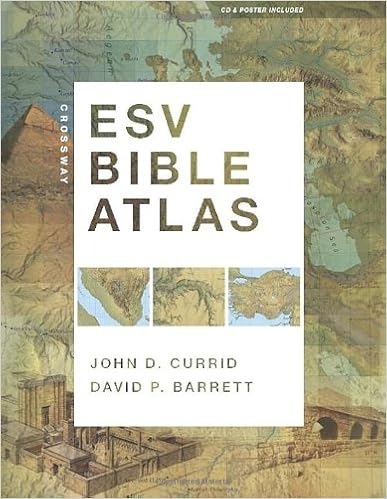
Back in 2013, I posted about my search for a good Bible atlas (HERE and HERE) that I could use for a class I teach surveying the lands of the Bible. I realize that I never followed up with my decision on which atlas I chose. I first used the New Moody Bible Atlas, but I switched to the Crossway ESV Bible Atlas, and this latter one has turned out to be excellent for my purposes.
I have, however, compiled a list of 15 atlases I surveyed with annotations on their content and my impressions. I also have noted which are available in Accordance, BibleWorks, and Logos along with other resources.
You can see my summary HERE.
There are doubtless a number I haven't included, either because I don't know about them, they were primarily devotional, or they were more intended as travel handbooks rather than course textbooks. If I missed one you think I should review, let me know. Thanks.

Sunday, January 28, 2018

Online and Free Bible Study Resources Updated - Sites, Programs, Apps


Online and Free Bible Study Resources  
(updated 2018.05.23)
The variety of online Bible study resources continues to change. This is my latest list I share with students. These are all worthwhile resources, and you need to check to see which works best for you and your desired platform. I've starred* ones that you should probably check first. Also remember that for deeper study, you probably want something like Accordance, BibleWorks, or Logos.

  • ONLINE BIBLE SITES which provide extra helps for English readers to study the underlying Greek and Hebrew
    • *Lumina Bible (still available in the previous NET Bible Study Environment which has some different options.) This is my recommended choice. It gives you access to the NET Bible notes which I recommend consulting. Use the Hebrew or Greek tab in the right column, and you will see how it highlights the matching English and Greek words. Double-click on a Greek/Hebrew word to get a rudimentary lexicon entry. Click on  an English word in the NET to do an original language word search or open the Parallel tab on the left to see NET, NIV, NASB, ESV, NLT, MSG, NRSV, and KJV together.
    • *STEP Bible: Another outstanding site with both original language and many English version texts (NET, NIV, ESV, KJV…). Like the NET Bible Study Environment, it can highlight matching Greek/Hebrew//English words, and has links to many lexical resources.
    • TheBible.org: Excellent site that is very nice for comparing original and translated versions with access to lexical resources. Many English versions including NRSV, NASB, ESV, KJV, NAB, NIV, NLT…
    • Bible Web App: Less full featured, but it’s fast and includes the NET with all notes. Parallel highlighting of Greek/Hebrew//English with Strong’s lexical popups.
    • Tyndale Tool Bar: Provides access to Bible texts and articles
  • OTHER ONLINE SITES primarily for English language study
    • *YouVersion: The primary attraction of this site is the abundance of Bibles it offers, both English (e.g., CEB, CEV, CJB, ESV, GNB, HCSB, KJV, LEB, Message, NAB, NASB, NCV, NET, NIV, NKJV, NLT) and nearly countless non-English ones. For Greek, it includes SBL GNT and Textus Receptus, and the Westminster Leningrad for the Hebrew. Two texts can be set in parallel.
    • *BibleGateway: There are too many English (and it does include the NRSV), non-English, Greek, and Hebrew versions to list. If you want to compare English versions, you can see a verse in every version they offer with a single click. There are quite a few linked resources, but many need you to subscribe for $4 USD/month. If your main interest is in comparing English versions, this is your best option.
    • FaithLife: This is the online site. Many original and modern language versions are available, but the best part is the connection with the FaithLife Study Bible.
    • Bible Hub: A nice collection of resources. The Atlas alone is quite helpful.

  • FREE DOWNLOADABLE PROGRAMS and APPS if you don't already have Accordance, BibleWorks, or Logos
    • *Logos Academic Basic: If you are a student, staff, or faculty person at an educational institution, this should be your first option. A more basic version of Logos is also available as an app for Android or iPhone.
    • *The Word: The Word is one of the first I recommend to people wanting a free program, since it is rather full featured program. It includes Greek / Hebrew. You can always buy some modules, e.g., NRSV, to expand its versatility. Among many non-English versions, free English versions include: Douay-Rheims, ERV, ESV, HCSB, KJV, Tanakh 1917, NET (but with limited notes), LEB. For Greek: LXX, SBL GNT, and other Greek text. For Hebrew: a tagged Hebrew Bible.  Only runs on Windows or under Mac emulation.
    • Olive Tree: This free Bible app is available for Windows, Mac, iPhone, iPad, Kindle, and Android. Once you get the app, check out the free resources. It includes SBL GNT and Hebrew Westminster Leningrad. For English, it includes many of the usual versions (KJV, NKJV, ESV, limited versions of HCSB and NET, Douay-Rheims, Tanakh 1917), but it does also offer the NIV. A number of useful study tools can also be added.
    • BibleGateway: Similar to the online version described above, the app is available for iPad, iPhone, Android, and Kindle.
    • e-Sword: The basic installation includes the KJV with Strong’s and its related lexicon along with a few other resources. Once installed, there are many other free Bibles and resources that can be added. Windows and Mac.
    • LaParola: Does a nice job of creating concordance lists and working with text variants (Windows and Linux)
    • *MySword: A fine Android app which I recommend along with the YouVersion app
    • YouVersion*: Available for Windows and just about any mobile device. It is similar to the online version described above.
    • FaithLife Study Bible: It's free and available for just about all platforms. It's a Logos product and uses their rather literally translated Lexham Bible. It comes from a conservative perspective, so you need some discernment, but many of its study features, especially the FaithLife Study Bible itself, can be helpful. (E.g., go to Phil 1.1 for The Life of Paul graphic.) 
    • WORDsearch 11: Offers a free basic version. There are more than enough resources to get you started, and they have a large collection of resources for purchase to expand your work. For Windows and Mac. 
    • *YouVersion: This app, available for just about every platform, includes over 1000 Bible versions. It is similar to its online version described above.
    • Since I have Logos, I use their included Logos app most often on my phone. I’ve noted a number of the programs above which have mobile editions, but for more information on mobile Bible apps, look HERE.
My Recommendations:
If you want to study and read the most English versions, then YouVersion is best. If you want more study tools and resources, I recommend that you look first at The Word, e-Sword, and Logos 7 Basic. If you are connected with an educational institution, then your best bet is to get Logos 7 Basic and then pick up Logos 7 Academic Basic. Some of these programs are expandable for a cost or have full-featured upgrades, so you may want to check out trial versions of Accordance, BibleWorks, Logos, and WORDsearch.

Thursday, December 21, 2017

Logos Mobile App Updated

Logos has updated their free mobile Bible app, and it is an excellent upgrade adding tabbed browsing and a reference scanner. Read the full Logos Mobile App update description here.

How do you get tab functionality on a mobile device? Usually I am working full screen with a particular Bible version, but when I want to switch and check the Greek or Hebrew, it usually was a process of going to the library, selecting the version, then navigating to the right passage. In the new app, it's a simple matter of swiping left or right to move to whatever version you've set up. As you can partially see in the screen shot above, I have the Greek New Testament in one full tab, but to the right of it, I have the NRSV and NET Bible in a split screen tab. I have chosen to link those tabs, so they move together. To the left of my GNT, I have the LXX and Biblia Hebraica in tabs which are also linked to each other and to the NRSV/NET. It works magnificently.

Another very nice new feature is Reference Scanner. If I'm looking at a paper text (e.g., a worship bulletin or Bible study handout) with a number of Bible references on it, I can use the Reference Scanner to scan the page using the phone's camera. The app then automatically extracts any Bible references and opens a new tab with all of them available linked and ready to view. Outstanding!
The Logos Apps page provides more information about the free app, but I'm not clear what exactly is available without further purchases. I have a good library of Logos resources, and they are (almost?) all available through the app. The graphic above shows a portion of what two taps on the screen generates as a Bible Word Study.

Locating some things is not immediately obvious (e.g., finding the Reference Scanner), but Logos training videos (Android / iPhone & iPad) are available that will give you further information on the app's availability.

I highly recommend the Logos Mobile Bible app. It's my primary mobile Bible resource.


Nine Kinds of Ancient Greek Treebanks


James Tauber retweeted a link to this helpful collection of treebank examples shared by Jonathan Robie. Other than the first one which is from classical Greek, the others are all visual representations of the syntactical structures of Matthew 1.20b. The graphic above is from Accordance, but others are included for the (Logos) Cascadia Syntax Graphs, the Global Bible Initiative Syntax Trees, Lowfat Syntax Trees, OpenText, PROIEL, Syntacticus, and Treedown. Robie also provides some basic information on the syntactical model used by each and how the various schemes are related.
I have not delved deeply into these syntactical treebanks, but I have had occasion to try to use them (I’ve used Logos and OpenText) to search for particular grammatical constructions.