And in the category of 'God-cidences,' this largely came about because one of my Greek students from long ago is now Director for Philanthropy at Odyssey Networks. Thanks, Mary Brown!
Wednesday, August 31, 2011
Matthew 18.15-20
And in the category of 'God-cidences,' this largely came about because one of my Greek students from long ago is now Director for Philanthropy at Odyssey Networks. Thanks, Mary Brown!
Posted by
MGVHoffman
at
1:18 PM
0
comments
Labels: biblical blogs
Thursday, August 25, 2011
IGNTP Papyrus Transcriptions Available
Papyrus transcriptions made available through Institutional Repository
Following the release of the Vetus Latina Iohannes transcriptions, the International Greek New Testament Project (www.igntp.org) has made available its transcriptions of papyri which contain the Gospel according to John on the University of Birmingham Institutional Research Archive.
The following twenty-seven witnesses are available from the repository as raw XML or can be viewed as they appear in the prototype IGNTP transcripts website can be viewed HERE
Posted by
MGVHoffman
at
10:44 PM
0
comments
Labels: greek, greek new testament, online resources
Sunday, July 10, 2011
Biblical Texts for Kindles
English
- The Holy Bible English Standard Version (ESV) FREE
- The Holy Bible: HCSB Digital Text Edition FREE
- NET Bible First Edition (with notes) $4.99
- ESV Study Bible $9.99
- NRSV Bible $12.99 or NRSV Bible with the Apocrypha $14.99
- The Message Remix 2.0: The Bible In Contemporary Language $9.99
Greek
- The Greek New Testament: SBL Edition $0.99 OR FREE download from OSNOVA (Thanks to CNB in Comments!)
- Koine Greek Bible: Septuagint, N.T., Apocrypha $1.99 (It appears that the NT is some edition of NA/UBS. No copyright or version info provided.)
- (Croy's A Primer of Biblical Greek $16.50: for my Greek students! There are quite a few Greek grammars, lexicons, and other aids available.)
Hebrew
Latin
- The Clementine Vulgate $0.99
- Interlinear Latin Vulgate (New Testament Bible) Vulgate Latin/Douay-Rheims English $3.99
Posted by
MGVHoffman
at
5:08 PM
4
comments
Labels: biblical resources, kindle
Monday, July 4, 2011
Logos for Android released
- Access to your Logos library (where licenses permit)
- Online access to streaming books
- Offline access to downloaded books
- Footnotes
- Preview Bible references
- History
- Navigate by
- Verse picker
- Table of contents
- Typed reference
- Slider
- Position syncs with Logos 4
- It is great to have access to my Logos library with original language texts and also resources like BDAG, the Anchor Yale Bible Dictionary, Apostolic Fathers (English and Greek), IVP Dictionary collection, Exegetical Dictionary of the NT, the ABS Handbook series, etc... I have been using Logos' online Biblia.com/ which provides similar access to my books, but it's not the best for viewing on my Droid X browser. How fast resources appear depends on your connection, but with Logos for Android (LfA), I can choose to download some books for faster and for offline access. Graphical items (maps, charts) do appear, but they are not resizable.
- The fonts look great--Greek, Hebrew, Syriac...--but my Hebrew is not displaying correctly in texts like the BHS. For now, it is not possible to specify font sizes.
- One really can't designate any preferences, and there is limited functionality with original language texts. That is, there is no way to get morphological or lexical information. (Though some texts like Runge's Lexham Discourse Greek NT and Holmes' Apostolic Fathers displays in interlinear fashion with analysis and lemma and gloss.) One can't specify a preferred English Bible.
- It is nice how footnotes and references in a text can be tapped and have a popup appear. One can then jump to that reference with another tap. This includes popups and jumps to texts in the Pseudepigrapha or Josephus. Unfortunately, it does not yet include links to the apparatus of the critical edition of NA27. The SBL Greek NT is linked to the apparatus, but it replaces the text window.
- LfA works fine in portrait or landscape mode. To scroll through you library, you go up/down, but, oddly, you can only scroll text by sliding sideways, not up/down.
Posted by
MGVHoffman
at
8:15 PM
1 comments
Wednesday, June 29, 2011
BibleWorks9 Announced!
| click to enlarge |
- The BibleWorks Manuscript Project is a way for users to compare and analyze original manuscript text and images. "New transcriptions and complete image sets of Sinaiticus, Vaticanus, Alexandrinus, Bezae, Washingtonianus, Boernerianus, and GA1141 (over 7.5 GB!!). Manuscripts are fully searchable using the full array of BibleWorks analysis tools." This project is ongoing, and there is even morphological tagging of the mss that will continue to be updated as they become available. (Michael Hanel, another beta tester, has already posted more info on this project.) BTW, in the graphic above, note that this resource appears in a new "Mss" tab.
- The Center for New Testament Textual Studies (CNTTS) NT Critical Apparatus allows the user quickly to compare variant reading. "This exhaustive apparatus covers the entire New Testament. The BibleWorks version has been enhanced to show a matrix of Aland categories and time period for the mss for each reading. Users will especially appreciate having the apparatus track and update as the mouse moves over the text in the BibleWorks main window. In addition, the start of each verse entry summarizes the significant, insignificant, and singular variants. When examining a variant, the text of the verse is shown with the variant text highlighted." And btw again, note that this resource shows up in a new "Verse" tab. In this tab, in addition to the CNTTS Apparatus, you choose instead to display the Tischendorf Apparatus, the NET Bible notes (compiled in a running format), Metzger's Textual Commentary (a $20 addon), or the full ESV Study Bible (i.e., with all comments and graphical content; a $20 addon).
- The "Use" tab: This tab simplifies a task I regularly ask my students to do, namely, find out where else in the Bible or in a particular book a certain term appears. The Use tab automatically generates such results nearly instantaneously as you hover the mouse over a word in the central browsing pane. (I'm running BW9 on a 6+ year old WinXP machine.) This works for any language. You can choose to see the results for just the book of the Bible you are reading or for every instance in that version. (Note the stats provided in the graphic above.) You can choose whether it reports back on the form or the lemma of the word, and you can easily export your results to the search list.
![]() |
| click to see with and without 4th column |
- The Fourth Column: So, what are you going to do when you want to see that new "Use" tab, but you need to have the "Analysis" tab in view too? There has always been a ton of information lurking behind the texts in BW, but it oftentimes meant switching tab views or opening floating windows. You can still do that, but now there is an option to pop open a fourth column that extends to the right of the BW window. If you have a wide screen monitor, it is a wonderful thing. You can move around the tabs which display in each column, so I suspect it will become a matter of personal preference. I do use a wide screen monitor, and I like having the Analysis tab and Use tab visible in the 3rd and 4th columns.
- Instant text comparison: There was a way to do this in BW8, but it now has become as simple as hitting a single keystroke. With your mouse anywhere in the browse column, hit the letter "e," and BW9 automatically highlights differences between any versions in the same language. Hit the "e" again to toggle the highlighting off. In the graphic above, you can see how it compared Greek, Latin, and English versions. BTW, in that graphic you can also see one of the new texts in BW9, the Vulgate with morphology and glosses in the Analysis tab.
There are many other new features and texts in BW9 (e.g., The Moody Atlas of the Bible by Beitzel), but this is a start. I still have some criticisms I will get to later, and it should be noted that BW9 still feels more like its own program than a program that has been built from the outset as a Windows program. There is no Mac version (though it runs quite nicely on a Mac under emulation), and there is no mobile version. I will eventually be posting some guides to help my students install, customize, and use BW9, but BW has already provided six hours of new how-to videos.
Posted by
MGVHoffman
at
6:06 PM
1 comments
Labels: bible software, bibleworks
Saturday, May 28, 2011
Search Syriac eResources
Posted by
MGVHoffman
at
10:56 AM
0
comments
Labels: Syriac
Tuesday, May 3, 2011
SBL's Bible Odyssey Receives NEH Grant
We are pleased to announce that the Society of Biblical Literature (SBL) was awarded a $300,000 grant from the National Endowment for the Humanities (NEH) to build an interactive website that invites general audiences to engage with biblical scholarship.Way to go, SBL! Follow the link for the full press release, but note that release is not projected until 2013.
Posted by
MGVHoffman
at
5:59 PM
0
comments
Labels: biblical resources, online resources
Evaluation of Android Bible Apps
- I'm finding that my first choice is almost always the free Cadre Bible. It's the fastest app, has good Greek texts (NA26, LXX), Hebrew Tanach, and English versions. The only thing I miss is some lexical help, but that can be purchased if you want to use the KJV or NASB with Strong's. (Mainly I just use the Parallel version feature to figure out what's going in the Greek/Hebrew. Cadre Bible also has a functional but clunky navigation interface.)
- I occasionally use the YouVersion Bible, because of its outstanding access to so many English versions. (And remember that if you don't own or want to buy a version, you can still 'stream' it.)
- UPDATE: Logos for Android is now available. My review HERE.
- The And Bible still holds promise, but it still doesn't display Greek properly.
- As noted in the MySword review, I keep it because of its "Analytic Septuagint."
- And then there is Olive Tree... This was my app of choice back in the day on Dell Axim using WindowsMobile, but I'm just not using it much on my DroidX. It is just slow enough to load that I will use Cadre Bible instead. It still has the best collection of academic resources for original language study. I was able to transfer my license for the BHS to this device, but my Gramcord Greek NT would not transfer, and I don't need their new Greek module badly enough to pay $58 for the upgrade. They do have the SBLGNT for free, but there is no parallel version view, so I'm back to CadreBible or...
- With internet access and my Logos resources, I use Biblia.com online. This works great, even to take a look at BDAG and all 885 books I have obtained in Logos4.
- If you don't own Logos, then the other online site to try is the NET Bible Study Environment, but this site is not really optimized for mobile browsers.
Posted by
MGVHoffman
at
2:13 PM
18
comments
Labels: android, bible software, online resources
MySword Bible App for Android
Version 1.3 of MySword for Android
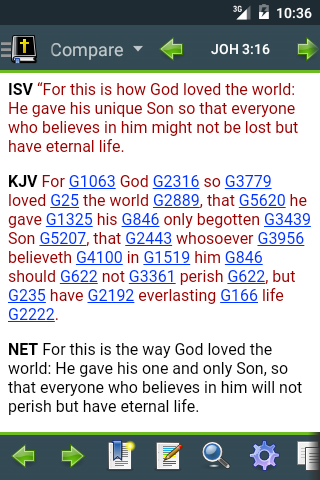
The following are the exciting features of MySword for Android:
- Multiple offline Bibles, Commentaries and Dictionaries
- Bible version verse comparison
- Highlighting
- Bookmarks
- Type your personal notes and insights
- Search (concordance) for Bible, Commentaries and Personal notes
- Strongs number support linked to dictionary for easy access
- Full screen mode support for more viewable text
- Support for Morphological codes and link to the Dictionary view
- The editor for Personal notes uses a simple wiki syntax for easy formating of your notes
- Copying of current verse, all text and custom selection of text in all views (Bible, Commentary, Dictionary and Personal notes) including the Search results which is very useful for Personal notes editing
- Resizeable text (custom text size for easy viewing)
- Allow fine adjustment of text size
- Page history navigation (back and forward)
- Verse link in Commentaries and Dictionaries to the Bible view.
- Links between documents, e.g. Commentary reference to Bible passage
- Download of modules (Bibles, Commentaries, and Dictionaries)
- Backup and restore of settings, highlights, bookmarks and Personal notes
- The app is not available in the Google Android Market or the Amazon Appstore. You need to go to the website and download it from there. (See below for a QR code to get you there quickly. The developers hope to have it available in the Android Market in June.)
- Once you install the program, you need to download modules. Choose wisely and don't just allow the default. (For now, there isn't a built-in option to uninstall modules. UPDATE: See here for info on manually uninstalling modules.)
- There is a fine selection of free English Bibles for download. Check them out HERE. Beyond the usual (KJV, ASV, NET...), do note that you can get the Lexham English, but it is only the New Testament.
- There are quite a few non-English versions, but there is no Hebrew module.
- For Greek, you can get the LXX including also "The Analytic Septuagint" which provides both analysis and links to Strong's (though words in the LXX not occurring in the NT will not be linked). For the NT, the only option is "Textus Receptus (1550/1894) Greek NT with Strong's Numbers and parsing info." Note that the Greek is unaccented, and where there is accented Greek in the Strong's you will get font irregularities.
- The usual batch of public domain commentaries: TSK, JFB...
- The usual batch of public domain dictionaries: Strong's, BDB, Thayer, Nave's...
- Display is attractive and works fine in either landscape or portrait.
- Navigation is very easy for getting around the Bible.
- It does have a verse compare feature so you can see multiple English versions or Greek/English, but you can't choose which versions to display. You get all the versions that are available.
- As noted above, Search, Highlighting, Bookmarks, Notes all work as one would hope.
BOTTOM LINE: I'm keeping this on my Android primarily because of the "Analytic Septuagint" module which is not available elsewhere that I see. (I still need some help getting through the LXX...)
Posted by
MGVHoffman
at
1:38 PM
2
comments
Labels: android, bible software
Thursday, March 31, 2011
Shibboleth: New version 0.9b... and typing in Greek
Shibboleth is a tool for typing Unicode text in ancient scripts. It was designed to help people unfamiliar with a script easily enter the correct characters, and then copy text to the clipboard in Unicode or another format.
While a keyboard layout is provided for several scripts, the emphasis is on helping the user recognize and select the proper characters. To that end, user input is shown in both typed and rendered format, with multiple font options, and all of the characters for each script are selectable from a well organized palette on the right side of the application window.
- New Rich Text copy mode that preserves font choice and doesn't put XML tags around the text.
UPDATE: Be sure to read the comment by Vincent Setterholm of Logos. He has correctly surmised that I am using Word 2007. The issues I describe below are in part due to the Word 2007 handles the glyphs and in part may be due to the font (especially Palatino Linotype). Shibboleth should NOT be the problem if you are using Word 2010.
and rough breathing mark are just a bit more centered and tucked down.
No big deal you say... But part of the beauty of Unicode is that you should be able to use any polytonic Unicode Greek font and the character displayed should be exactly the same. (This was a major problem with the old TrueType fonts where designers placed different Greek characters on different keys.) The problem with polytonic Greek is those placeholder glyphs whose location relative to the vowel is not fixed. So, using combining characters, if you switch the Greek font, you may end up with an ugly mess.
As you can see, what may look quite attractive in SBL Greek may not look so good in Cardo, Gentium, or Palatino Linotype. If you just composing documents for your own use and only use the same font, this may not be important, but if you plan to send that document to someone else or to a publisher who may not have the same Unicode font as you, then it is a problem.
UPDATE: In light of Setterholm's comment, if you use Word 2007 or Google Docs or even WordPad, you will probably want to use one of the solutions given below for getting the precomposed characters.
- Tavultesoft Keyman (a wonderful program for $19) integrates into your system so that you can type in brilliant Greek and Hebrew right in the program. No need to copy/paste...
- Tavultesoft also has a free online notepad for typing in any language you want. If you want to use Greek, you have four different keyboards to choose from. (Where is that psi?) I find "Greek Classical" to be the most usable.
- The free online composer at TypeGreek.com is very nice, and note that it is even smart enough that if you type a sigma followed by a space or punctuation, it will convert it into a final sigma. One problem with TypeGreek: if you are typing and don't know what character you need, you hit the "Alphabet Key." This provides the layouts, but when you go back to the previous page where you were typing, it will be all gone.
- The free online composer at GreekInputter2. The keyboard is a bit less intuitive, but you can display the layouts so that they are visible while you type in the box.
- There is a similar issue of markings with biblical Hebrew, but there really aren't that many precomposed characters. The Hebrew Unicode system does rely more on combining characters, and it is not really a problem.
- Logos (and BibleWorks and Accordance) use the precomposed characters in their Greek texts. That is, if you copy a chunk of text in one of these programs and paste it into your word processor, you will get the precomposed forms, and any Unicode Greek font you use will look fine.

Posted by
MGVHoffman
at
10:47 PM
2
comments
Saturday, February 26, 2011
Corinth and Mycenae
Mycenae does not really have a biblical connection, but it is a fascinating site. Apparently, already by Roman times, its ruins were a tourist attraction.
HERE are the pics.
Posted by
MGVHoffman
at
12:29 PM
1 comments
Labels: 2011TurkeyGreece, pictures.photos
Tuesday, February 22, 2011
Translation: Statistics Not Linguistics
Give it a try using Hebrew or Greek (but remember that it is modern and not ancient).
Google Translate
Posted by
MGVHoffman
at
12:29 AM
4
comments
Labels: translation
Sunday, February 20, 2011
Athens
We started the day at the new Acropolis Museum. It's wonderful, and it's kind of neat to see them at work excavating the area under the museum through the floor. The Acropolis is stunning and beautiful, but I've never seen it without all sorts of cranes and scaffolding that clutter up the views. Someday... There are some steps now to help people get up on the Aeropagus. This used to be something of a treacherous adventure.
Our guide on this trip did a great job walking us through the museum and Acropolis, but she also gave us an excellent overview as she took us through the agora and the museum in the Stoa of Attalos. (The museum in the Stoa of Attalos was also a new experience for me, and a very worthwhile one.)
From the agora we headed over to the Plaka area to eat and we also had some time to take the Metro and catch Syntagma Plaza and Onamia Square. The Metro is quite nice and very reasonable for getting around Athens.
From a New Testament perspective, it is important to remember that Athens was probably a rather insignificant city in the first century. Given Athens' history and Paul's famous speech in Acts 17 and its role as the most prominent city in Greece today, we probably think of it in the same way when Paul went through. Yes, it had its history and reputation as a center of learning even in Paul's day, but it just wasn't that important. Philippi, Thessalonica, and Corinth were all more significant cities. It is not coincidental that in the history of Paul and the early church, those three cities are far more prominent in the literature of the NT.
Posted by
MGVHoffman
at
1:14 AM
0
comments
Labels: 2011TurkeyGreece, pictures.photos
Wednesday, February 16, 2011
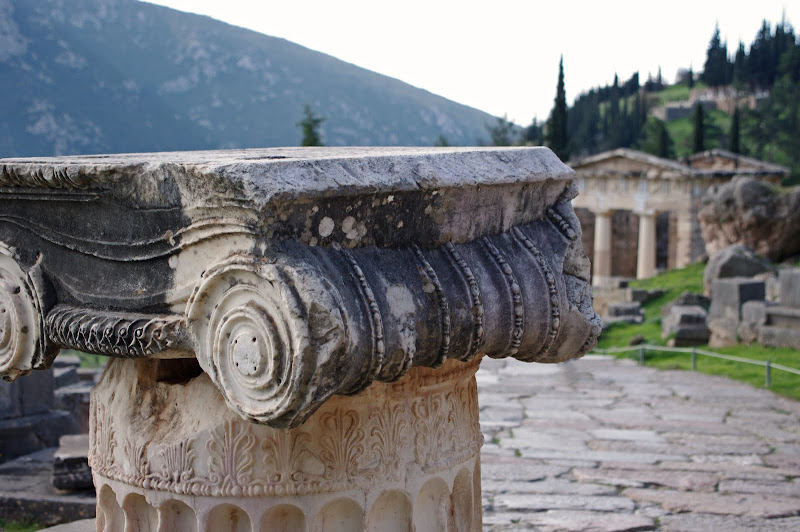
Delphi
Posted by
MGVHoffman
at
2:30 PM
0
comments
Labels: 2011TurkeyGreece, pictures.photos
Viewing Texts in Parallel Using BibleWorks8
For BibleWorks users, the next issue is how to view these versions in parallel. Do you want the texts horizontally or vertically aligned? How do you maximize the viewing area? How can you easily export them into a Word Doc?
I put together a PowerPoint that shows you eight different ways of doing so in BW8. You can either take a look at this PDF handout of the PowerPoint or play it online using SlideRocket.
If you have another favorite way of working with texts in parallel, please leave a comment!
Posted by
MGVHoffman
at
1:02 AM
4
comments
Labels: bibleworks, versions
English Bible Versions: Literal/Formal to Dynamic/Functional
I have also posted this file as a Google Doc you can view online but not edit. (UPDATE: Sharing has now been enabled.)
I compiled this resource particularly for BibleWorks8 users in mind, but it may prove helpful to anyone who is working with English Bible versions. What I've done is made a listing of about 66 English versions, most of which are available in BibleWorks8. The first two pages of the DOC file pull together all these versions into three groups: those that come standard in BW8, those that are available as user-created downloads for BW8, and other versions for which it is usually possible to create an external link from within BW8. These have been organized alphabetically by their BW8 abbreviation. Since this is just a plain Word DOC, anyone can edit it as they see fit.
Next, I started with a helpful list I found online by Bruce Terry which provides an approximate rating of each version from literal (or using formal equivalence) to dynamic or paraphrase. I edited this list and added a few evaluations of my own. The scale used is where a "1" would be an interlinear Hebrew/Greek to English and a 10 would be a loose paraphrase. (The Cotton Patch Version gets a "10.")
On the third page, the English versions are organized according to this scale of 1-10.
On the fourth page, you will find the recommendations I give to my students in terms of the versions I think are most helpful for consulting. (The graphic below is from this page.) In addition to the notes on the table, I also provide additional rationale why I think each are worth looking at.
If you are a BibleWorks user, you may be interested in having these texts appear in the program in this order of most literal to most dynamic. For such an ordering, you need to specify a Version Display Order (VDO) file. Save this file in your BibleWorks8/init directory. In BibleWorks, click on the little setup wrench icon, choose "Version Order" on the left, then open this LitDyn.VDO file you just saved. You will need to specify the versions you want to display to see them all visible. You can, of course, also modify this VDO file to something you think is better.
Posted by
MGVHoffman
at
12:47 AM
0
comments
Labels: bibleworks, biblical resources, versions
Listing of texts available for BibleWorks
I have compiled in a spreadsheet (what I think is) a complete list of texts for BibleWorks8 that are in Hebrew, Aramaic, Syriac, Greek, Latin, Coptic, or English. I've organized them according to Language, Content, Source (whether they are included in BW8, available for purchase as an Addon Module, or as a downloadable User-Created resource), the Abbreviation for each resource, a Description of the Text, whether there is a Morphologically-paired text or a Translation-paired text, and if there is any other Related text.
HERE is the XLS spreadsheet you can download. The first page has things organized largely according to content: OT&LXX, Targums, Intertestamental, Composite OT&NT, Greek NT, NT Peshitta, NT Misc, Latin, Early Christian, Other Jewish, English Versions, Islam, Classical, Doctrinal, and Miscellaneous. The second page alphabetically organizes the abbreviations used for the resources. The benefits of downloading this file are that you can have the listing available offline and can organize things as you wish. The drawback is that you'll have to keep it updated.
So, I also uploaded the spreadsheet to Google Docs where I and Michael Hanel and James Darlack will try to keep it updated. HERE is the online doc. (UPDATE: Sharing has now been enabled.)
In order to avoid problems, note that non-editors will not be able to change it. Now if anyone else wants to try to complete the list with all the other versions in BibleWorks, let me know, and I will give you editing privileges.
Posted by
MGVHoffman
at
12:22 AM
0
comments
Labels: bibleworks, bibleworks modules
Tuesday, February 15, 2011
Meteora
![]() |
| Meteora - Barlaam |
Posted by
MGVHoffman
at
10:58 PM
2
comments
Labels: 2011TurkeyGreece, pictures.photos
Thessaloniki - Beroea - Meteora
![]() |
| Thessaloniki - St. Demetri |
HERE are the pics for this day.
We started out this day with a tour of Thessaloniki. We stopped first at the excavations of the Agora. I'm not sure why (maybe it was still being excavated?), but we didn't see this in 2004. There isn't too much to see, but Thessaloniki has been built over so much, it's really hard to get to the Roman level without destroying much of the city. We did note where a subway track is being built, and it looked like they came across the old Via Egnatia and were working around it. From the Agora, we walked to St. Demetri's Basilica. This is an old church which dates its history back to the martyr Demetrius in the 4th century. The building and interior are rather a mixed bag since it has been destroyed or burnt and rebuilt so many times. I found the crypt under the altar area to be the most interesting, and you'll note that 11 of the 28 pics I pulled for this day are from there. Our guide said that this had formerly been the 'locker room' of the stadium which was just to the north, and that it was here, according to tradition, that Demetrius had been killed. Be sure to take the time to go down there if you visit the basilica.
From there we went up to the Byzantine walls in the upper part of the city near the Round Tower with its wonderful view of the city below and across the harbor to Mt. Athos. Driving past the White Tower, we continued west basically following the Via Egnatia and Paul's route. (Acts 17.10-15) We stopped at Beroea (or Berea, modern Veria) where some of the ancient road is still visible alongside the modern one. Not much to see, but there is a monument and mosaic commemoration of Paul near where an ancient synagogue used to be.
(If we ever come by here again, apparently it is well worth the time to visit Vergina and the tomb of Philip II about 15 miles away.)
The rest of the day was spent driving to Kalambaka at the foot of the Meteora complex.
Enjoy the pics!
Posted by
MGVHoffman
at
12:22 AM
0
comments
Labels: 2011TurkeyGreece, pictures.photos
Wednesday, February 9, 2011
Neapolis > Philippi > Thessaloniki
We drove through Kavala which was ancient Neapolis where Paul first landed in Macedonia. (Acts 16:11) There is a church there to commemorate the event--with actual stones from the first century!
We next visited the location on the stream just west of Philippi which commemorates Lydia and her baptism (Acts 16:14-15), then headed to the ancient city itself. We were able to visit the area east of the agora (which had been closed in 2004) where the Octagonal Church is. Otherwise the rest of the site appears much the same as 7 years ago, though it looks like the theater (used for modern performances) has been fixed a bit. The main sites to see here are the bema in the forum (Acts 16:19-20), the Via Egnatia, and the 'traditional' prison of Paul and Silas.
Continuing on to Thessaloniki the road basically follows the old Via Egnatia (and that's what the highway is called still today). It passes by Amphipolis, but the new highway is now open on the north side of Lake Volvi, so you don't go through Appolonia any more. (Acts 17:1)
As for Bible and tech... I brought my Droid X with me on the trip. I knew phone service was unavailable, but I have my Android Bibles on it, and it also has GPS. I had downloaded the free Endomondo app which is an exercise tracker type of app, but I used it as we were walking around the various sites. Once I got back in WiFi range, it pulled up the path on Google Maps and also uploads it to the web where it includes elevation, pace, etc. It comes in handy for quickly locating where we were and walking through the pics I took as I reviewed them and organized them. Here is how it works on the web--Lydia and Philippi--but you can also see the graphic below. In the upper left is the Lydia site, and then you can see how we took the bus to Philippi itself and then walked around the site.
Posted by
MGVHoffman
at
5:44 PM
0
comments
Labels: 2011TurkeyGreece, android, pictures.photos