Monday, November 21, 2011

Accordance at SBL

Accordance at SBL
David Lang at the Accordance booth
I actually do have Accordance 8 running on my PC under emulation, and I like to use it for its map module, but since I'm mainly a PC (and now also Android) kind of guy, I don't spend as much time with it as I do other programs. Still, my students who have Accordance love it, and I like to keep up with the Accordance folks are doing, because they have been leading the way on a number of fronts in Bible software. Besides, they are just nice guys at Accordance and fun to visit.

Accordance is now at version 9.5, and probably the nicest new feature is the Dynamic Interlinear capability. Contrary to the complaints I heard a few times at sessions that Bible software doesn't offer actual 'texts' of manuscripts (as compared to simply providing critical editions), I was interested in seeing how this works with their collection of manuscripts. Here's a graphic from their website that gives you an idea of how it looks.
BibleWorks9 offers a similar set of manuscripts and tools for text criticism, so scholars do indeed have options for original manuscript analysis.

Be sure to check out the Accordance web site to catch up on the latest enhancements, new resources, and continued development of their iPhone/iPad apps. BTW, you may also want to check out the recent review of Accordance 9.5 by Rubén Gómez.

BibleWorks at SBL

Mark Cannon and Glenn Weaver at the BW display
BibleWorks at SBL
I visited with the BibleWorks people here at SBL. Business has been good with the new BW9 release, and they continue to plan for the future with new resources and features. One thing I've heard in 2 sessions here at SBL is people lamenting that there are no actual digital texts, i.e., editions of actual manuscripts. I've been happy to point out that we do have precisely that now in BW with the NT transcriptions project. Sinaiticus not only is fully transcribed but it is even morphologically tagged. (Accordance offers a similar mss collection. Logos for now only has the Comfort/Barrett collection, also available in both BW and Accordance.)

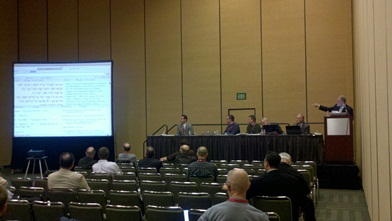
SBL: Bible Software Shootout 2 - Revenge of the Teacher

SBL Computer Assisted Research Section: 
Bible Software Shootout 2 - Revenge of the Teachers 

Keith Reeves introduced the session and highlighted that this session was not intended to be a shootout resulting in last man standing. Rather, the approach this year is to come at the topics 'backwards' by seeing how teachers are actually using the software in the classroom.

Logos

Two professors from Calvin College, Dean Deppe and Carl Bosma, presented on their use of Logos in their classrooms.
Calvin College has a 2 week gateway course that is a required part of the curriculum to introduce Logos to the students. An important aspect of the instruction is both learning how to use the program and to start the process of using it to take notes.
  • A 1 hour introduction
  • Four 2 hour sessions explaining features with MDiv students
  • Three 3 hours sessions with MA students.
Deppe showed examples of how he has used Logos. (Cf. Deppe's All Roads Lead to the Text: Eight Methods of Inquiry into the Bible for his work on using Logos for exegetical examples. I have now acquired the book and will provide a review here, hopefully before the new year.) He demonstrated how he thinks in terms of various lenses for viewing the texts using various Logos tools: Personal Book Builder to collect notes, Collections for searching, Passage Analysis, highlighting, layouts, visual filters including sympathetic highlighting, tools that can be used for students who don't know Greek or Hebrew, etc. He showed an interesting example of highlighting of verb tenses in Romans 7 along with quite a number of layouts he has created for working with grammatical, exegetical, background, related texts (e.g., DSS, Josephus, Pseudepigrapha).
Bosma showed how he used Logos for notetaking and linking to local and web resources.

Comments:
  • It was clear that both Deppe and Bosma have a great deal of experience working with Logos. It was good to see they are actually using it.
  • Deppe especially had a tremendously customized version of Logos enhanced by many of his own layouts, collections, etc. Unfortunately, it is not possible to share layouts with other users (at least at this time). When I try to model my use of Bible software, I would like my students to be able to follow along, so the ability to share a similar look would be important.
  • It's great that Calvin College has the required training sessions. I know enough about the use of Logos to see that the kind of things Deppe and Bosma had done reflect at least a high intermediate level of skill. 
  • Though it wasn't pointed out in the session, I like that Logos is available for Windows, Mac, iPhone/iPad, Android, and as a mobile web resource at Biblia.com.

Accordance

Roy B. Brown from Accordance demonstrated how he and his colleagues have used the program. (His presentation is available HERE.) He noted that the use of the software is dependent on the audience. He used Amos 1.1-6 as an example.
Preparation: How can Accordance be used for preparing, creating handouts, etc. He noted a variety of resources available and the easy way to export material for printing, incorporation in other programs, using its Slideshow mode, displaying collections of photos, maps, etc.
Presentation: The Slideshow mode was particularly helpful in Brown's own presentation to the group. It's a great way to present while staying within the program. (I have found that I regularly am jumping back and forth between PowerPoint and the Bible software as I teach.) He showed the sort of resources he would use for teaching Amos 1.1-6 to a popular level and then repeated the exercise as he might use it with a more advanced level group who know Greek and/or Hebrew. One of the things he demonstrated was the Inference search which looks for passages that might stand as allusive parallels.
Participation: How can Accordance be used most effectively in an interactive environment? Brown provided an example of how one might start with the Amos text and move from resource to resource by means of simply highlighting words and using the extensive integration of links to maps, lexicons, timelines, graphics, dictionaries, etc. One can even rather effectively conduct searches in Hebrew without know Hebrew.
Some of the things that struck me in this presentation were:
  • They have accumulated an excellent collection of related resources for biblical study: grammatical/syntactical,
  • The program was quite fast when running searches and switching between resources.
  • The integration of resources and the intuitiveness of accessing them is excellent.
  • The program is quite attractive overall.
  • They have made the program accessible to both an academic/technical and popular level audiences.
He also demonstrated a recently added feature: a "dynamic interlinear." While standard interlinears (based on the English) and reverse interlinears (based on the original language), their dynamic interlinear provides linking to up to eight tagged English versions and includes all the tagged information including syntactical tags. For the NT, he showed how this dynamic interlinear could be used to line up various NT manuscripts for comparison.

Comments:
  • Brown did indicate that it is possible to share Accordance workspaces which would make it much easier for students to follow along.
  • It was an impressive display of linked resources that Brown demonstrated, but I'm also wondering what the total cost of all those resources is. Yes, it probably is cheaper than buying hard copy edition,and one can, of course, gradually build up one's Accordance library of resources, but I doubt many students would be able to afford it all at the outset.
  • Accordance is available for Mac, iPhone, and iPad. (It can be run on Windows under emulation.) Buy the Mac version, and you get the iPhone and iPad versions with it running all your Mac resources.

OliveTree Bible Software - BibleReader

Steven Johnson and Matthew Jonas, both from OliveTree, presented. Johnson provided an overview of the program while Jonas spoke more about its classroom use. They presented how it works on an iPad as well as demonstrating a beta version of the program for MacOS. They are certainly multi-device aware and offer (or are working on offering) the program for a variety of platforms: Macs, iWhatever, Kindle, Nook, PC, Android, etc.
Two main concerns for BibleReader are approachability and having everything available, everywhere, all the time. How quickly can someone start using the program? They try to have as simple and as intuitive interface as possible. Further, while there are some differences particular to each platform, they also try to have the interface as similar as possible so that students will be able to follow along regardless of platform. Everything is automatically synched, so that annotations and such are preserved as a user moves between their various devices. The Resource Guide was an effective center for moving around to related resources: related verses, commentaries, topics, dictionaries, images, maps, notes, charts, etc.
Do note that the program really has its roots as a Bible reader, so it is easy to switch to a simple reading view though all the resources are still easy to call up. Jonas demonstrated the features that allow BibleReader to be personalized: notes, highlighting, bookmarks, book ribbons, etc. They use their own cloud sync service to keep everything current, but you can also use an Evernote sync service.
For students, it's easy to get started with BibleReader using their 'freemium' model. The basic program is free and available for the various platforms. They also are looking at integrating social media tools. (E.g., it's only available on Android for now, but it is possible to share verses via Google+, FB, Twitter.)
 
Comments:
  • It is indeed a clean and intuitive interface.
  • It was impressive during his presentation how Johnson switched between devices. The program was consistent but still took advantages of the platform's capabilities. (E.g., iPad multi-touch, use of gestures)
  • While OliveTree certainly has a full collection of Greek and Hebrew resources, it strikes me as intended to be accessible for a somewhat more popular audience level.

Overall comments, questions, and observations:

  • It was an interesting choice on Logos' part to have instructors who use Logos present rather than company representatives. They did a good job, but it was a different presentation compared to the others.
  • How easy is it (or to what extent is it desirable) for instructors to share resources with students? How desirable is it to do this? I find that I usually do want to share what I am asking them to learn about the use of the program. I think it is important, therefore, to have easy ways to share workspaces/layouts, search parameters, etc.
  • It is great to have a 'buy once' policy which allows you to transfer your resources to the variety of platforms you use. All three companies basically offer this.
  • I also see how we are moving to a situation with students using a variety of platforms, and most of them are more portable: tablets, iPads, and smartphones. Logos leads the way here, and only OliveTree will compare with it (once they make the desktop versions available). It is important to have one's resources available regardless of platform and to have them available everywhere. I also find, however, that when I am doing in-depth work, I really want a lot of screen space, so I still favor a desktop or laptop setup.
  • I do believe that cloud syncing and backup will become a standard. This involves not only the syncing of resources but of one's personalizations. Logos and OliveTree lead the way in this respect. 
  • BibleWorks was noticeably missing from this shootout. Since it is the program I am most familiar with, I can affirm that it can pretty much do everything the other programs can do and other tasks as well. And it does it all for cheaper considering the resources it includes. Still, there are some limitations to BW. It is a Windows program (that can be run under emulation on a Mac), but it cannot be used on a mobile, handheld device. Given the way the program works, the bigger the monitor the better, so I'm not sure it would be very useful on the small scale of a mobile device. Second, I have encouraged BW to make it easier to sync one's personalizations (e.g., annotations, searches...). It can be accomplished, but it requires the use of another cloud syncing service like DropBox or SugarSync. (I use SugarSync, and it works beautifully. I add my BWNotes, ase, and timeline subdirectories to the sync list, and it keeps everything up-to-date between my home and work computers. BTW, if you sign up for a SugarSync account after clicking on that link, we both get an extra .5Gb of storage in addition to the 5Gb free starter account, so please do so!)
 Bottom Line: Thanks to the CARS (no longer the CARGroup since we are now a CARSection) for organizing this section. While it did give the companies an opportunity to demonstrate capabilities of their programs, it also provided some excellent ideas about how the programs can and are actually used in classroom settings.

Saturday, November 19, 2011

AAR-SBL 2011 in San Francisco

SBL 2011
Saturday, 19 November: I am at the annual AAR-SBL meeting held this year in San Francisco. It was a six-hour flight, but I picked up three hours getting here, so we will see how long I last today... I'm planning to post blog reports as much as I am able.

The first session I attended is "Engaging the ‘Wired-In Generation’: Knowledge and Learning in the Digital Age" with Tersa Calpino presiding.

Mark Goodacre:
“Pods, Blogs, and other Time-wasters: Do Electronic Media Detract from Proper Scholarship”
Pods and blogs and elists are not really a waste of time as long as you are finding some personal usefulness from them. Cf. Goodacre’s blog post for examples of how his work has turned out positively for him.
Why do I blog? Personally, I have found:
  • It provides incentive to articulate, organize, and summarize things I’m working on. I'm quite sure I would not have 'published' much of anything if it weren't for the possibility offered by the blogging platform.
  • It serves as a repository of work I have done. I use it for myself for looking up work I’ve done.
  • When I get questions about a particular topic, oftentimes I’m able simply to point the inquirer to a blog post instead of having to compose a whole new response.
  • It has served to expand my horizons of collegial discourse. It is gratifying to be part of a global discussion
  • It is perhaps peculiar to my Bible and technology focus, but I have been provided with software or resources that I can review.
Christian Brady (Targuman)
“On the Internet No One Knows You’re a Graduate Student, Or How Social Media Can Help You, Build You Up, and Tear You Down”
There are good reasons to maintain multiple personalities on the web. CB is not advocating anonymous identities but ways to organize different aspects of ones work. You do need to be mindful of potential readers and possible repercussions. (“Blogging can be similar to vomiting online.”) Do take it seriously and treat your readers seriously as well. You also need to be ready to accept rejection.
Kelley N. Coblentz Bautch
“Videoconferencing in the Classroom: Broadening the Horizons of Students through Interactive Scholarly Exchange”
KNCB has had positive results using videoconferencing and other social media tools in the classroom. E.g., she has brought in virtually experts in particular fields. It is exciting for students to engage with authors of books they have been reading or to bring in international perspectives.

Jim Davila (PaleoJudaica) was a last minute replacement and talked about his experiences online. One recent development is the increasing comfortableness students have for sharing online. It does mean, however, that educators perhaps have more responsibility helping them think about their online expression.
  • "I hate Twitter... Nothing is more perfectly designed to enable people to say every stupid thought that comes to mind."
  • "I don't have time to listen to podcasts. I would much rather read."
  • If we really wasted so much time in the 90's on elists, then we've done okay. Are blog posts much more ephemeral than a published article?
  • Blogging can be good... If you have one, have a reason for doing so. Identify a niche.
  • "Never write anything down that you can't picture appearing on the front page of the New York Times."

Thursday, September 29, 2011

Perseus in Logos

Logos has been advertising that they are making the Perseus Collections available within Logos... for FREE! But get it quickly. Right now they are taking pre-orders, but once it it ready to go live, they are going to stop taking orders for a while so that they don't get overwhelmed with downloads. I don't recall for sure, but I think it was only 70Mb or so. In any case pre-order until Friday, 30 September 2011.) Be sure to read my comments at the end of this post, but here's some basic info:
The Perseus Collections contain around 1,500 free books focused primarily on Greek and Latin classics, like Aristotle and Plato. They also cover the history, literature, philosophy, and culture of the Greco-Roman world—important contextual sources for biblical scholars. Additionally, they contain other key works of Renaissance literature, and literature from early America.
Of these 'libraries' within the collection, the ones of primary interest to Bible folks are:
This Logos video gives you a good idea of what can be accomplished:


Comments:
  • It has been possible for some time now to go directly to access the Perseus information at the Perseus Project web site. (And if you haven't been there in a while, it works quite well now compared to the 'glitchiness' of the site in the early days.) Logos itself has for some time provided an external link to the Perseus web site where one can gain access to Liddell-Scott-Jones (even the Great Scott edition). Having the text within Logos, however, is much faster and much handier.
  • Note that this Logos integration only includes the classical texts, not the reference works. If you want the Great Scott you will still have to go online or buy it from Logos. (Also note that the classical references in BDAG are not linked.)
    UPDATE: Dave in the comments notes that the issue of linking to BDAG was addressed in the Logos forum. It's coming eventually!
  • The Greek is all morphologically tagged. If the word is one that occurs in a biblical text (LXX or NT), you will be able to access those lexicons directly.
  • Unless you know the classical work that you want to read, I suspect that the way most people wanting to access the texts when starting from a biblical passage are going to want to: A) Right-click, use lemma, do a Bible Word Study; B) Under the "Textual Searches" category, look for "Classics" usage. C) Click on that Classics to initiate a Word Search - NOTE: When working in the Classics, be sure you are using "Logos Greek Morphology"; D) When your listing of occurrences appears [and it could take a while if there a lot], you will be able to click to call up the text. - NOTE: Here's a little trick. If you click on the "Resource" link, it will bring up the original language text. If you hover your mouse over the "Reference" link, you will be able to see if there is an accompanying English translation. Click on that link to call it up.
  • I don't want to complain about a great, free resource, but one of the more frustrating aspects is trying to find English translations to accompany the Latin or Greek texts. I used the trick in the preceding bullet to show one way of getting at it. You can find English texts directly by creating your own collection, but it's still some work. (And why, for example, are there none of the English translations of Aristophanes?) You still may need to end up going to archive.org and searching the Loeb collection or to Project Gutenberg to find some English translations. (For example, Lucian's De Syria dea.)
    UPDATE: Be sure to read Mark Barnes' comment about creating a Perseus collection with parallel resources enabled. That is a great way to find when English translations are available.
All in all, this is really nice, and you can't beat the price! Thank you, Logos! Get it right away, but if you miss the pre-order offer, my understanding is that Logos will offer it again after things settle down.

Tuesday, September 27, 2011

BibleWorks9 Texts and English BIbles

I have completed updated listings of the texts in the recently released BibleWorks9. (Here is the previous list for BW8.)

I have compiled in a spreadsheet (what I think is) a complete list of texts for BibleWorks9 that are in Hebrew, Aramaic, Syriac, Greek, Latin, Coptic, or English. I've organized them according to Language, Content, Source (whether they are included in BW9, available for purchase as an Addon Module, or as a downloadable User-Created resource), the Abbreviation for each resource, a Description of the Text, whether there is a Morphologically-paired text or a Translation-paired text, and if there is any other Related text. This resource should be particularly helpful if you are trying to find a resource or if you are trying to recall a resource's abbreviation.

BW9 TEXTS
HERE is the XLS spreadsheet you can download. 
  • The first page has things organized largely according to content: OT&LXX, Targums, Intertestamental, Composite OT&NT, Greek NT, Greek NT Manuscripts, NT Peshitta, NT Misc, Latin, Early Christian, Other Jewish, English Versions, Islam, Classical, Doctrinal, and Miscellaneous. (Note that the Greek NT Manuscripts is one of the new features in BW9. Seven manuscripts--Sinaiticus, Alexandrinus, Vaticanus, Bezae, Boernerianus, Washingtonianus, and GA 1141--have been transcribed and appear as regular texts in BW9's browse window. Sinaiticus is even morphologically tagged.)
  • The second page alphabetically organizes the abbreviations used for the resources. 
The benefits of downloading this file are that you can have the listing available offline and can organize things as you wish. The drawback is that you'll have to keep it updated. I have also posted an online version HERE, and I will try to keep it updated. 

ENGLISH BIBLES INCLUDED IN BW9
HERE is the DOCX file you can download. HERE is an online version of it. I compiled this resource particularly with BibleWorks users in mind, but it may prove helpful to anyone who is working with English Bible versions.This document consists of the following sections.
  • English Bibles included in BW9: The is an alphabetical listing by the abbreviations assigned to all the English Bibles available for BW9. It lists those included with BW9, user-created versions you can download/install, a listing of other important English versions and their online locations so that you can link to them using BW's External Links Editor, and some related English translations (e.g., for NT Peshitta, Targums, apocryphal and pseudepigraphical works, DSS...) In addition, I adapted a helpful list I found online by Bruce Terry which provides an approximate rating of each version from literal (or using formal equivalence) to dynamic or paraphrase. I edited this list and added a few evaluations of my own. The scale used is such that a "1" would be an interlinear Hebrew/Greek to English and a 10 would be a loose paraphrase. (The Cotton Patch Version gets a "10.")
  • The second section takes the alphabetical listing of the first section and puts them into "A Literal to Paraphrase Scale of English Bible Versions."
  • The third section is my listing of "Recommended Versions to Consult and Compare." This is the list I provide to my students. 
For BW users, I have, however, already set up these versions in a logical order and saved it to a file you can download. These texts appear in the program in the order of most literal to most dynamic. For such an ordering, you need to specify a Version Display Order (VDO) file. Save this VDO file in your BibleWorks9/init directory.  In BW, then, you can open the Version Display Order option and choose this Literal2Dyanmic.vdo file.

I hope you will find this useful. Let me know if there are any problems.

Monday, September 26, 2011

Digital Dead Sea Scrolls Online

This is great! It was announced today that five Dead Sea Scrolls have been published online as part of The Digital Dead Seas Scrolls project.
It’s taken 24 centuries, the work of archaeologists, scholars and historians, and the advent of the Internet to make the Dead Sea Scrolls accessible to anyone in the world. Today, as the new year approaches on the Hebrew calendar, we’re celebrating the launch of the Dead Sea Scrolls online; a project of The Israel Museum, Jerusalem powered by Google technology.


The five scrolls posted for now are: the Great Isaiah Scroll, Temple Scroll, War Scroll,     Community Rule Scroll, and Commentary on the Habakkuk Scroll. Resolution on the images is outstanding with zooming, and navigation is easy. With the default view of the Isaiah Scroll, there are mouse hover highlights indicating the chapter:verse. Clicking on the highlight will bring a popup with an English translation of the Masoretic text. (I.e., it is an English translation of the MT, not of the scroll. A start at comparing the two is provided here. For the Isaiah Scroll, at least, you may want to consult the older Great Isaiah Scroll Directory which has a low-res, bw image, a description of the scroll, and line by line translation.)
[HT: JS & BS]

Thursday, September 22, 2011

Biblical Studies and Technological Tools App for Android

Thanks to AppsGeyser, it's free and fairly easy to create an Android app from web content such as this blog. You can go to this page to download the Biblical Studies and Technological Tools Android app, or, if you prefer, use your Android device to scan this QR code.The app is free too!
 
[Thanks to ChurchMag for alerting me to AppsGeyser.]

Wednesday, September 21, 2011

On teaching Koine Greek

On his και τα λοιπα blog, Daniel R. Streett has been running a great series on teaching Greek. 
He's not done yet, but he's been building up an argument for an immersive, oral/aural, 'communicative' approach to learning Greek. His next post will be on how such an approach might be integrated into a typical seminary curriculum. I'm anxious to see what he proposes, because this is where I've been challenged. (I've replied to a couple of his posts, and I'm quoting large parts of my comments here.)

Back in the day when I was learning Greek at seminary (~1980), the Greek requirement was basically 2 years worth with follow-up in required exegetical courses. The result? I would estimate that at least 90% of pastors were no longer using Greek within 5 years of graduation from seminary. Why? They never achieved a level of competence to allow for truly “reading” Greek. In the seminary where I teach now, the Greek requirement has been reduced to about 1 year with follow-up in in required exegetical courses. There is absolutely no way I can teach students to “read” Greek. I have, therefore, had to change my goals. I try to create a foundation of Greek vocabulary and grammar, but I reduce the amount of vocab memory and analysis to a minimum. Instead, I focus on grammatical significance, syntax, using lexical tools, and learning ways of working with the Greek text. This also means, as you might guess, that Bible software becomes very important. I encourage students to use software about 2/3 of the way through the course. This also means that my quizzes and tests (apart from some foundational memory aspects) are usually open resource (i.e., they can use book, notes, software), based on biblical texts, and ask the students to compare English translations and then consult the Greek to analyze what is going on.

That was my early response to Streett's postings, but in his latest post he points out the challenge of using a 'tools' approach and just learning enough Greek to become 'dangerous' with it. He also sets up the admirable goal that we are helping students become biblical scholars, and argues that just learning 'tools' will not accomplish that. I'd like to think I'm doing something different. Here's why:
  1. Given the year of required dedicated Greek course work plus follow up in exegetical classes, we can get deeper into Greek than simply going with a one semester tools course.
  2. Almost all my students are planning to become pastors, not biblical scholars. Yes, I realize that sounds very bad, but the reality is that they want to be able to engage the Bible to support their ministries. They are not doing ministry to support their biblical scholarship. It's simply a matter of priority. They most certainly want to be fully aware of the Bible and to interpret and communicate it faithfully and with integrity, but the ultimate goal is to become a pastor or teacher in the church, not a biblical scholar. Those two things are certainly (and hopefully!) not exclusive, but priorities will dictate where time is spent.
  3. As I think about it, there is probably more than just 'tools' or 'reading' levels of competence. I would be more comfortable defining my approach as something more like 'faithful engagement' with the text, a level somewhere between tools and reading. (I'll say more in a moment.) We should probably also note that there is a 'translator' level beyond the 'reader' one. Students sometimes think they will learn to 'translate' the Greek, but that is a far more complicated task. None of my students (and I will also include myself here) is likely to come up with a better translation than the leading English versions which are products of committees of scholars who know Greek and linguistics better than my students or I.
  4. Given #3, one of the first things my students come to realize, however, is that no translation is perfect. Every translation is making some kind of compromise or is stuck trying not only to render Greek words into English but also to capture a whole culture, context, and tradition of their use.
  5. Because of #4, I have found that one of the best ways for my students to get at the Greek is by looking at a range of English versions. This approach highlights the places where the translation committees were having the most difficulty getting it right, and these are the places where they need to look more closely at the Greek. Here, then, is where the tools start to come in to play. Are the differences the result of text critical issues? Is it a lexical matter? A grammatical matter? The tools will provide the lexical and parsing and analysis and such, but you will still actually need to know some Greek to figure out what a circumstantial participle is, and how it works in Greek, and what difference it makes that it is present and not aorist. At this point, they should also be able to understand what is being said about the Greek text in the more technical commentaries like ones in the NIGTC series. (I don't know that a simple 'tools' approach would achieve this level of competence.)
As I hope you can see, students actually have to learn some Greek in my classes. No, they will not be able to 'translate' nor even 'read' the Greek. They will, however:
  • understand something about how Koine Greek works grammatically, 
  • have a grasp of syntactical features of Greek, 
  • be able to use tools, especially Bible software,
  • know how to make sense of a lexical entry in BDAG (a simple tools approach can't do this either),
  • understand discussions about Greek texts in commentaries or the footnotes of the very helpful NET Bible, and 
  • evaluate the relative merits of English versions. 
All of this can be accomplished in a year. I’d love to think I could use a more ‘communicative’ approach (though we do sing Greek songs, recite the Lord’s Prayer…), but given the time constraints imposed by our curriculum, I am taking an approach that I think (and early feedback is tending to confirm) will allow students to “use” Greek with integrity for the rest of their careers.

Wednesday, August 31, 2011

Matthew 18.15-20

I am happy to report that an article I wrote on Matthew 18.15-20 (the Gospel text for the upcoming Sunday, 2011.09.04) is now online at the Huffington Post in their Religion section. This is part of a collaborative venture with the Odyssey Networks ON Scripture project. The goal was to have very fresh and timely reflection on a lectionary text for the coming Sunday. It's an interesting project in that it is not intended particularly for pastors preparing for sermons but for inquisitive laypersons. It encourages a Christian perspective but one that is more outward directed than in-church directed. It was a good challenge.


And in the category of 'God-cidences,' this largely came about because one of my Greek students from long ago is now Director for Philanthropy at Odyssey Networks. Thanks, Mary Brown!

Thursday, August 25, 2011

IGNTP Papyrus Transcriptions Available

As noted on the Evangelical Textual Criticism blog:
Papyrus transcriptions made available through Institutional Repository
Following the release of the Vetus Latina Iohannes transcriptions, the International Greek New Testament Project (www.igntp.org) has made available its transcriptions of papyri which contain the Gospel according to John on the University of Birmingham Institutional Research Archive.

The following twenty-seven witnesses are available from the repository as raw XML or can be viewed as they appear in the prototype IGNTP transcripts website can be viewed HERE
Note that when click through to the transcripts, you actually have access to the whole Gospel of John project which includes this new collection of papyrii, Majuscules, and Latin. (The Minuscules and Coptic are not yet available.)


Sunday, July 10, 2011

Biblical Texts for Kindles

So, you got yourself a Kindle, and you are looking for some biblical stuff to put on it. (And the cheaper, the better...) Remember that these are not Bible software programs but just have the text. I'm also only considering biblical texts and not books or commentaries about the Bible. There are some odd-looking, privately-published texts available, and I'm not sure how Kindle-friendly each of these is, but here are some good options to consider to get started:

English

Greek

Hebrew

Latin

Monday, July 4, 2011

Logos for Android released

Logos has announced the release of a beta version of its Bible software for Android devices. For those who already have Logos software and an Android device this is welcome news, because it starts to provide access to one's library of resources on these mobile devices. This is indeed only a beta release with limited functionality, but improvements are promised that will bring its functionality in line with other existing Android Bible software. The current version offers the following:
  • Access to your Logos library (where licenses permit)
  • Online access to streaming books
  • Offline access to downloaded books
  • Footnotes
  • Preview Bible references
  • History
  • Navigate by
    • Verse picker
    • Table of contents
    • Typed reference
    • Slider
  • Position syncs with Logos 4 
I've used it a bit, and here are some observations I can make for now:
  • It is great to have access to my Logos library with original language texts and also resources like BDAG, the Anchor Yale Bible Dictionary, Apostolic Fathers (English and Greek), IVP Dictionary collection, Exegetical Dictionary of the NT, the ABS Handbook series, etc... I have been using Logos' online Biblia.com/ which provides similar access to my books, but it's not the best for viewing on my Droid X browser. How fast resources appear depends on your connection, but with Logos for Android (LfA), I can choose to download some books for faster and for offline access. Graphical items (maps, charts) do appear, but they are not resizable.
  • The fonts look great--Greek, Hebrew, Syriac...--but my Hebrew is not displaying correctly in texts like the BHS. For now, it is not possible to specify font sizes.
  • One really can't designate any preferences, and there is limited functionality with original language texts. That is, there is no way to get morphological or lexical information. (Though some texts like Runge's Lexham Discourse Greek NT and  Holmes' Apostolic Fathers displays in interlinear fashion with analysis and lemma and gloss.) One can't specify a preferred English Bible.
  • It is nice how footnotes and references in a text can be tapped and have a popup appear. One can then jump to that reference with another tap. This includes popups and jumps to texts in the Pseudepigrapha or Josephus. Unfortunately, it does not yet include links to the apparatus of the critical edition of NA27. The SBL Greek NT is linked to the apparatus, but it replaces the text window.
  • LfA works fine in portrait or landscape mode. To scroll through you library, you go up/down, but, oddly, you can only scroll text by sliding sideways, not up/down.
In any case, this is a good start, and I look forward to implementation of more functions.

    Wednesday, June 29, 2011

    BibleWorks9 Announced!

    The release of BibleWorks9 has been announced! I had the opportunity to be involved with beta testing, and I am excited about many of the new features. I'll be posting reviews in chunks and highlighting some of the more significant enhancements. (HERE for more info on new features and source for quotes below.) For now, I'll just point out some of the enhancements.

    The first thing a user of BW8 will notice is the updated icons. They do indeed look better, and they indicate their function more clearly.
    click to enlarge
    Not a big deal, but a nice touch.

    Two of the most important additions to BW9 that are likely to receive the most attention are related to New Testament textual criticism. I will blog more about these at another time, but for now, I can briefly illustrate what's available using Mark 1.1 as an example.
    • The BibleWorks Manuscript Project is a way for users to compare and analyze original manuscript text and images. "New transcriptions and complete image sets of Sinaiticus, Vaticanus, Alexandrinus, Bezae, Washingtonianus, Boernerianus, and GA1141 (over 7.5 GB!!). Manuscripts are fully searchable using the full array of BibleWorks analysis tools." This project is ongoing, and there is even morphological tagging of the mss that will continue to be updated as they become available. (Michael Hanel, another beta tester, has already posted more info on this project.) BTW, in the graphic above, note that this resource appears in a new "Mss" tab.
    • The Center for New Testament Textual Studies (CNTTS) NT Critical Apparatus allows the user quickly to compare variant reading. "This exhaustive apparatus covers the entire New Testament. The BibleWorks version has been enhanced to show a matrix of Aland categories and time period for the mss for each reading. Users will especially appreciate having the apparatus track and update as the mouse moves over the text in the BibleWorks main window. In addition, the start of each verse entry summarizes the significant, insignificant, and singular variants. When examining a variant, the text of the verse is shown with the variant text highlighted." And btw again, note that this resource shows up in a new "Verse" tab. In this tab, in addition to the CNTTS Apparatus, you choose instead to display the Tischendorf Apparatus, the NET Bible notes (compiled in a running format), Metzger's Textual Commentary (a $20 addon), or the full ESV Study Bible (i.e., with all comments and graphical content; a $20 addon).
    In terms of usability, convenience, and user-friendliness, I'll point out three things here:

    • The "Use" tab: This tab simplifies a task I regularly ask my students to do, namely, find out where else in the Bible or in a particular book a certain term appears. The Use tab automatically generates such results nearly instantaneously as you hover the mouse over a word in the central browsing pane. (I'm running BW9 on a 6+ year old WinXP machine.) This works for any language. You can choose to see the results for just the book of the Bible you are reading or for every instance in that version. (Note the stats provided in the graphic above.) You can choose whether it reports back on the form or the lemma of the word, and you can easily export your results to the search list.
    click to see with and without 4th column
    • The Fourth  Column: So, what are you going to do when you want to see that new "Use" tab, but you need to have the "Analysis" tab in view too? There has always been a ton of information lurking behind the texts in BW, but it oftentimes meant switching tab views or opening floating windows. You can still do that, but now there is an option to pop open a fourth column that extends to the right of the BW window. If you have a wide screen monitor, it is a wonderful thing. You can move around the tabs which display in each column, so I suspect it will become a matter of personal preference. I do use a wide screen monitor, and I like having the Analysis tab and Use tab visible in the 3rd and 4th columns.
    • Instant text comparison: There was a way to do this in BW8, but it now has become as simple as hitting a single keystroke. With your mouse anywhere in the browse column, hit the letter "e," and BW9 automatically highlights differences between any versions in the same language. Hit the "e" again to toggle the highlighting off. In the graphic above, you can see how it compared Greek, Latin, and English versions. BTW, in that graphic you can also see one of the new texts in BW9, the Vulgate with morphology and glosses in the Analysis tab.
    Pricing and upgrades: It is also nice to note that, despite all the new resources included in BW9, the list price is $359, only $10 more than the previous version. They have clear upgrade policies (starting at $159 to upgrade from BW8), and group discounts are available. Note that you can place orders now for BW9, but it won't ship and you won't be charged until mid-July or so. An online distributor accidentally started advertising this new version before the BW folks were ready to make the official announcement, and so BW decided to let beta testers start sharing info about it.

    There are many other new features and texts in BW9 (e.g., The Moody Atlas of the Bible by Beitzel), but this is a start. I still have some criticisms I will get to later, and it should be noted that BW9 still feels more like its own program than a program that has been built from the outset as a Windows program. There is no Mac version (though it runs quite nicely on a Mac under emulation), and there is no mobile version. I will eventually be posting some guides to help my students install, customize, and use BW9, but BW has already provided six hours of new how-to videos.

    BOTTOM LINE: BibleWorks9 is a significant and attractive upgrade. It offers an updated interface that will be familiar to existing users and friendlier for new ones. The BibleWorks Manuscript Project and the CNTTS NT Critical Apparatus modules are remarkable resources that will especially appeal to those interested in New Testament textual criticism. All users will enjoy the easier access and increased functionality provided with new features like the pop-out fourth column, the “Use” tab, and the instant difference highlighting. Considering the other texts and resources provided, BibleWorks9 is a comprehensive study package and tremendous value.

    Saturday, May 28, 2011

    Search Syriac eResources

    Select and Search Syriac eResources: For those who may be interested in Syriac and don't keep up with the Hugoye-list, Gareth Hughes put together a great custom Google search of Syriac eResources collected by Kristian Heal. It is helpful both for the search--which also allows you to filter for journal or manuscript entries--and for the handy links which Heal has been accumulating. Thanks to both for sharing!

    Tuesday, May 3, 2011

    SBL's Bible Odyssey Receives NEH Grant

    At its annual meeting last November (2010), the SBL was showcasing a Bible Odyssey web site for which they were applying for a NEH grant. I reported on it here, including some pics of the prototype. Today it was reported:
    We are pleased to announce that the Society of Biblical Literature (SBL) was awarded a $300,000 grant from the National Endowment for the Humanities (NEH) to build an interactive website that invites general audiences to engage with biblical scholarship.
    Way to go, SBL! Follow the link for the full press release, but note that release is not projected until 2013.

    Evaluation of Android Bible Apps

    I have a listing of Android Bible apps HERE to which I have now added a review of MySword HERE. 

    So what Android Bible apps do I use and recommend? 
    • I'm finding that my first choice is almost always the free Cadre Bible. It's the fastest app, has good Greek texts (NA26, LXX), Hebrew Tanach, and English versions. The only thing I miss is some lexical help, but that can be purchased if you want to use the KJV or NASB with Strong's. (Mainly I just use the Parallel version feature to figure out what's going in the Greek/Hebrew. Cadre Bible also has a functional but clunky navigation interface.) 
    • I occasionally use the YouVersion Bible, because of its outstanding access to so many English versions. (And remember that if you don't own or want to buy a version, you can still 'stream' it.) 
    •  UPDATE: Logos for Android is now available. My review HERE.
    • The And Bible still holds promise, but it still doesn't display Greek properly. 
    • As noted in the MySword review, I keep it because of its "Analytic Septuagint."
    • And then there is Olive Tree... This was my app of choice back in the day on Dell Axim using WindowsMobile, but I'm just not using it much on my DroidX. It is just slow enough to load that I will use Cadre Bible instead. It still has the best collection of academic resources for original language study. I was able to transfer my license for the BHS to this device, but my Gramcord Greek NT would not transfer, and I don't need their new Greek module badly enough to pay $58 for the upgrade. They do have the SBLGNT for free, but there is no parallel version view, so I'm back to CadreBible or...
    • With internet access and my Logos resources, I use Biblia.com online. This works great, even to take a look at BDAG and all 885 books I have obtained in Logos4.
    • If you don't own Logos, then the other online site to try is the NET Bible Study Environment, but this site is not really optimized for mobile browsers.
    What am I missing? Leave a comment!

    MySword Bible App for Android

    I'm busy grading papers, but I wanted to get the word out about the free MySword for Android. (I have a larger listing of Android Bible apps HERE.) Copying the info I received from them:

    Version 1.3 of MySword for Android

    The following are the exciting features of MySword for Android:
    • Multiple offline Bibles, Commentaries and Dictionaries
    • Bible version verse comparison
    • Highlighting
    • Bookmarks
    • Type your personal notes and insights
    • Search (concordance) for Bible, Commentaries and Personal notes
    • Strongs number support linked to dictionary for easy access
    • Full screen mode support for more viewable text
    • Support for Morphological codes and link to the Dictionary view
    • The editor for Personal notes uses a simple wiki syntax for easy formating of your notes
    • Copying of current verse, all text and custom selection of text in all views (Bible, Commentary, Dictionary and Personal notes) including the Search results which is very useful for Personal notes editing
    • Resizeable text (custom text size for easy viewing)
    • Allow fine adjustment of text size
    • Page history navigation (back and forward)
    • Verse link in Commentaries and Dictionaries to the Bible view.
    • Links between documents, e.g. Commentary reference to Bible passage
    • Download of modules (Bibles, Commentaries, and Dictionaries)
    • Backup and restore of settings, highlights, bookmarks and Personal notes
    Some quick observations/comments after briefly using MySword for Android.
    • The app is not available in the Google Android Market or the Amazon Appstore. You need to go to the website and download it from there. (See below for a QR code to get you there quickly. The developers hope to have it available in the Android Market in June.)
    • Once you install the program, you need to download modules. Choose wisely and don't just allow the default. (For now, there isn't a built-in option to uninstall modules. UPDATE: See here for info on manually uninstalling modules.)
    • There is a fine selection of free English Bibles for download. Check them out HERE. Beyond the usual (KJV, ASV, NET...), do note that you can get the Lexham English, but it is only the New Testament. 
    • There are quite a few non-English versions, but there is no Hebrew module.
    • For Greek, you can get the LXX including also "The Analytic Septuagint" which provides both analysis and links to Strong's (though words in the LXX not occurring in the NT will not be linked). For the NT, the only option is "Textus Receptus (1550/1894) Greek NT with Strong's Numbers and parsing info." Note that the Greek is unaccented, and where there is accented Greek in the Strong's you will get font irregularities.
    • The usual batch of public domain commentaries: TSK, JFB...
    • The usual batch of public domain dictionaries: Strong's, BDB, Thayer, Nave's...
    As for performance:
    • Display is attractive and works fine in either landscape or portrait.
    • Navigation is very easy for getting around the Bible.
    • It does have a verse compare feature so you can see multiple English versions or Greek/English, but you can't choose which versions to display. You get all the versions that are available.
    • As noted above, Search, Highlighting, Bookmarks, Notes all work as one would hope.
    All in all, a fine implementation, and you can't complain about the price. (Donations are appreciated.) Rather than having to enter the URL on your Android browser, I generated a QR code to jump straight to the download page. (I'm assuming you have installed a barcode scanner or QR reader on your device. If not, why not?!)
    BOTTOM LINE: I'm keeping this on my Android primarily because of the "Analytic Septuagint" module which is not available elsewhere that I see. (I still need some help getting through the LXX...)

    Thursday, March 31, 2011

    Shibboleth: New version 0.9b... and typing in Greek

    I have posted about the free and very helpful Shibboleth program from Logos. (HERE with a full description when first released and HERE in relation to typing in biblical Hebrew.) Logos has now announced an update to it, and you can download the program HERE. As described on the Logos web site:
    Shibboleth is a tool for typing Unicode text in ancient scripts. It was designed to help people unfamiliar with a script easily enter the correct characters, and then copy text to the clipboard in Unicode or another format.

    While a keyboard layout is provided for several scripts, the emphasis is on helping the user recognize and select the proper characters. To that end, user input is shown in both typed and rendered format, with multiple font options, and all of the characters for each script are selectable from a well organized palette on the right side of the application window.
     There have been a number of improvements to this new version, but of most importance to me:
    • New Rich Text copy mode that preserves font choice and doesn't put XML tags around the text.
    What this means is that you can now type your text using the helpful and logically laid out keyboards or clicking on the symbols, then hit Copy, then paste directly into any RTF word processor without having to remove XML tags. You have a few choices of fonts you can use, including the new SBL Hebrew and SBL Greek. Excellent! With this new version, you can even type in Akkadian, Hittite and Old Persian Cuneiform, and Egyptian Hieroglyphs!

    So far, so good, but I still have some quibbles with the Greek...

    The main problem is that Shibboleth renders polytonic Greek with combining characters rather than with the precomposed ones. What does this mean?
    UPDATE: Be sure to read the comment by Vincent Setterholm of Logos. He has correctly surmised that I am using Word 2007. The issues I describe below are in part due to the Word 2007 handles the glyphs and in part may be due to the font (especially Palatino Linotype). Shibboleth should NOT be the problem if you are using Word 2010.
    What happens is that when type characters that have breathing marks and accents, there are two ways of creating the character you want. One way is to start with the vowel, then add the marks using glyphs that don't take their own space. In Unicode, each glyph has its own 4 character code, so as you can pick up from the first line in the graphic below, an η is 03B7, the iota subscript is 0345, the rough breathing is 0314, and the acute is 0301. 
    (Want to see for yourself? In MSWord, place the cursor after any character and hit Alt-X. Hit it again to return it to its normal appearance. Or, get the BabelMap program which maps every single Unicode character.) 

    The other way a character is formed is if the input method is smart enough to figure out when you are all done with the character which one you want and provide that specific character which has been precomposed in the Unicode system. As you can see in the second line above, that very same character that takes 4 glyphs to form in the first way is represented by a single character in the second.

    So, what difference does this make? To look at it, not much. To look closely at it, a little. Since those placeholder glyphs have to work with all vowels, their location has to be estimated a bit to fit properly. With the precomposed characters, the character with all its glyphs can be formed exactly how you want it to look. So, you will have to look very closely, but the top line is the character with all the glyphs added. The bottom line is the precomposed one.
    You might be able to discern in the second row that the acute accent
    and rough breathing mark are just a bit more centered and tucked down.

    No big deal you say... But part of the beauty of Unicode is that you should be able to use any polytonic Unicode Greek font and the character displayed should be exactly the same. (This was a major problem with the old TrueType fonts where designers placed different Greek characters on different keys.) The problem with polytonic Greek is those placeholder glyphs whose location relative to the vowel is not fixed. So, using combining characters, if you switch the Greek font, you may end up with an ugly mess.


    As you can see, what may look quite attractive in SBL Greek may not look so good in Cardo, Gentium, or Palatino Linotype. If you just composing documents for your own use and only use the same font, this may not be important, but if you plan to send that document to someone else or to a publisher who may not have the same Unicode font as you, then it is a problem.

    So again, thank you very much to Logos for sharing Shibboleth for free. Hey, how else other than Shibboleth are you going to easily type in Egyptian hieroglyphs?!
    UPDATE: In light of Setterholm's comment, if you use Word 2007 or Google Docs or even WordPad, you will probably want to use one of the solutions given below for getting the precomposed characters.
    Some notes:
    How else do you get properly precomposed Greek characters? (The following solutions do work properly for Word 2007.) As far as I know, you can use:
    • Tavultesoft Keyman (a wonderful program for $19) integrates into your system so that you can type in brilliant Greek and Hebrew right in the program. No need to copy/paste...
    • Tavultesoft also has a free online notepad for typing in any language you want. If you want to use Greek, you have four different keyboards to choose from. (Where is that psi?) I find "Greek Classical" to be the most usable.
    • The free online composer at TypeGreek.com is very nice, and note that it is even smart enough that if you type a sigma followed by a space or punctuation, it will convert it into a final sigma. One problem with TypeGreek: if you are typing and don't know what character you need, you hit the "Alphabet Key." This provides the layouts, but when you go back to the previous page where you were typing, it will be all gone.
    • The free online composer at GreekInputter2. The keyboard is a bit less intuitive, but you can display the layouts so that they are visible while you type in the box.
    What else?
    • There is a similar issue of markings with biblical Hebrew, but there really aren't that many precomposed characters. The Hebrew Unicode system does rely more on combining characters, and it is not really a problem.
    • Logos (and BibleWorks and Accordance) use the precomposed characters in their Greek texts. That is, if you copy a chunk of text in one of these programs and paste it into your word processor, you will get the precomposed forms, and any Unicode Greek font you use will look fine.